Dear Pratik
This is not a bug or issue; it's a normal and common mistake when importing thesaurus data.
I attempt to explain it.
First, you must understand the thesaurus descriptor concept.
- Descriptor: canonical term
- Non-descriptor: alternative term of the descriptor (synonym of the descriptor).
You can read a definition in the page 23 of this definition (but, you can read other thesaurus definitions in same way)
e.g:
- Armed conflict---> descriptor
- War ---> non descriptor of
Armed conflict
When the people search War, the thesaurus must return the Armed conflict information. It's the classic Use reference in printed thesaurus: War UseArmed conflict
So, all terms must be defined if they are a Descriptor or Non-Descriptor. You can see the component at the top of the term edition.

By default, when a new thesaurus term is manually created, the component defines it as Yes, so the term is created as Descriptor.
When a term is a Descriptor, it can see its own children, and it can show the orange arrow to show it. The non-descriptors will be calculated and show it with the ND icon in the term.
But, when you import, these rules can be NOT applicable. Why?, because if you want to define if the term is a non-descriptor you have a conflict default value vs import value. (and this is not the only rule that has conflicts with imports), therefore, the import applies the rule to be strict to import data. no more, no less. If you are importing, you're in charge. The import can fix mistakes, or refuse incorrect data, but, it can't decide if the terms are descriptors.
And when the term is not defined, if it's a Descriptor, the child process is not applied. When you edit the term manually, the default value is set, and all works.
You can use different processes to set the descriptor value.
1.- Set a column into the import CSV with the head hierarchy23 (Is descriptor) and all values as 1 (or 2 if you want to create a non-descriptor).
| section_id | hierarchy25 | hierarchy23 |
|---|
| 1 | Armed conflict | 1 |
| 2 | War | 2 |
| 3 | xxx | 1 |
| 4 | yyy | 1 |
| 5 | zzz | 1 |
When you import it, all terms will be set as descriptor or non-descriptor correctly, and all will work.
2.- If you have imported without the Is descriptor hierarchy23 column, and you want to unify and set all the terms as descriptor, you can apply a propagation data tool of the component.
- Open the thesaurus in list mode, instead of the tree, using the
Terms menu, and choose the thesaurus that you want to modify.
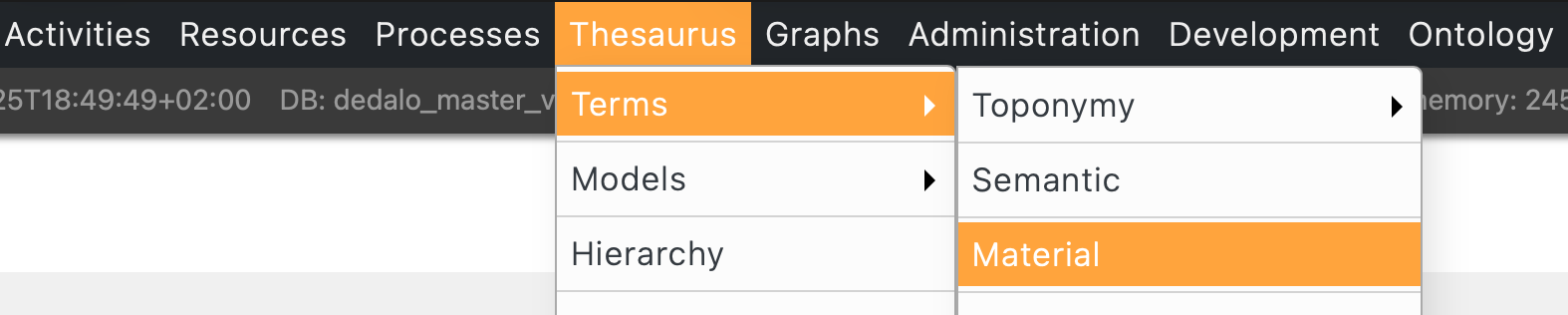
- You can apply any filter as you want, such as: All terms with xxx, or, All terms without the is descriptor data (using the
!* operator).

- Edit one term of the list, and use the propagation tool of the component to the all record selection (the filtered records or all).

- And set the value as you want and apply the data by clicking into the
Replace values
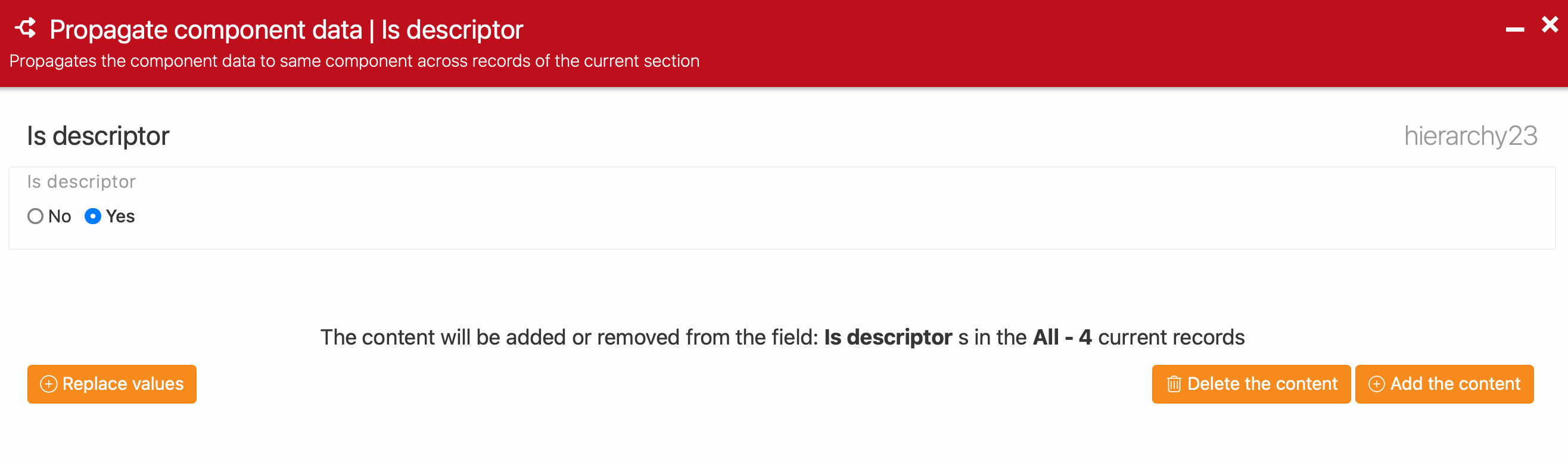
You can learn more here by selecting the Replace Data video tutorial.
For the indexation part... the same, but the component is Usable in indexing hierarchy24.
I hope is clear
Best
Alex


