Dear @Pratik
I try to explain it, but it is a large explanation.
First, some concepts to maintain in mind.
1.- Diffusion is controlled by the ontology.
2.- The diffusion ontology branch is independent of the main working ontology. It has its own definitions.
3.- The diffusion ontology nodes must defines, how you want to diffuse your data, it could be; SQL, RDF, XML, etc. (in your case the SQL will be the option)
4.- We have some common diffusion ontologies, that you can extend with your own TLD, in your case storykitchen (as storykitchen34, storykitchen65, etc).
5.- You will never use common TLD as; oh, dd, rsc, etc. they are shared TLDs and will be changed when you update your ontology version.
6.- You ALWAYS must to use your own TLD.
7.- Diffusion nodes must have 3 main nodes:
- diffusion_domain (the top name of your project)
- diffusion_group (a simple grouper)
- diffusion_element (the node to be active in every diffusion process)

8.- Diffusion domain must be set in the config.php to indicate: what is the diffusion tree to be used, read this.
OK. By default, Dédalo config uses the default diffusion domain, but it is only for common data, such as Oral history web, so you must create your own diffusion domain with your own TLD. To do this, and to do it as simply as possible, locate 'storykitchen1' searching in the tree.
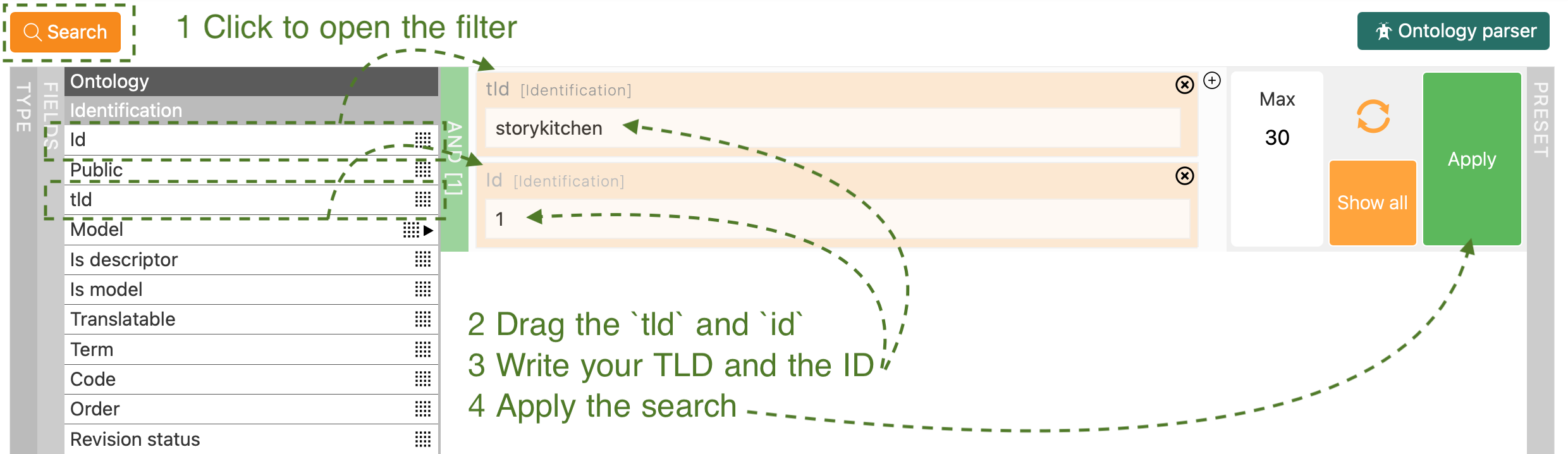
The search will locate your first node in the tree. If not, the node with id 1 could be deleted. Try with other id number. Another way to locate it must be to open the edit and click the ontology local button to open it into the ontology tree.
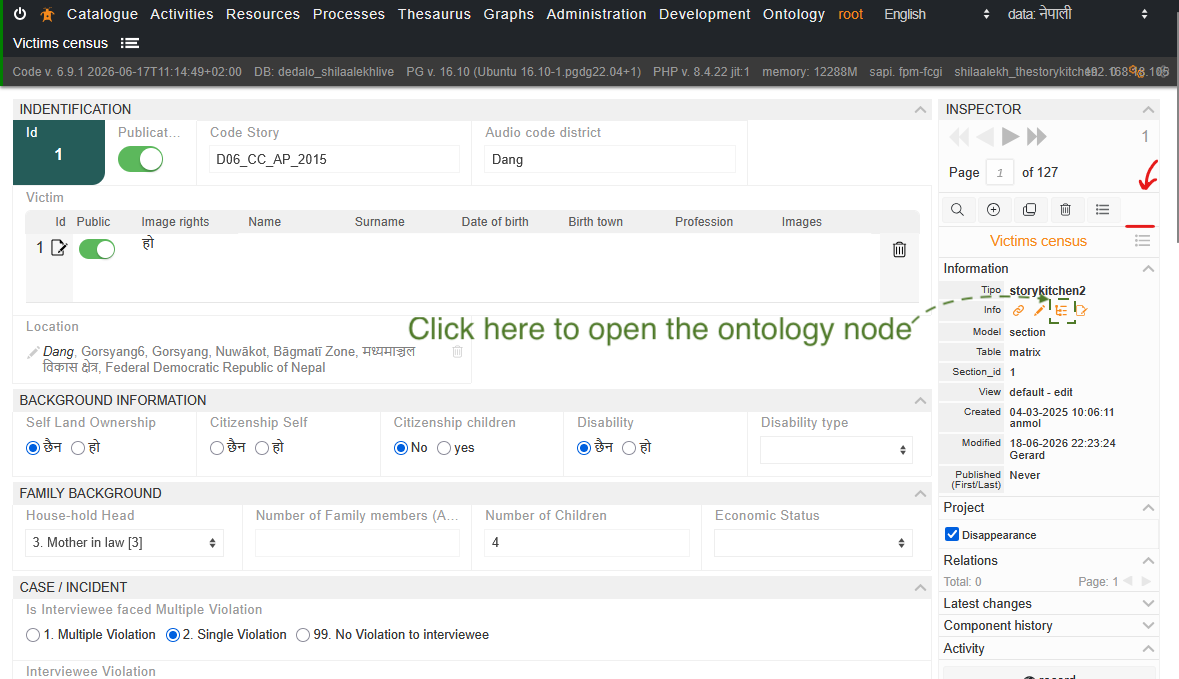
Note: the next screenshots will be used and show the qdp1 instead of the storykitchen1 because I have not access to your ontology, but it is the same.
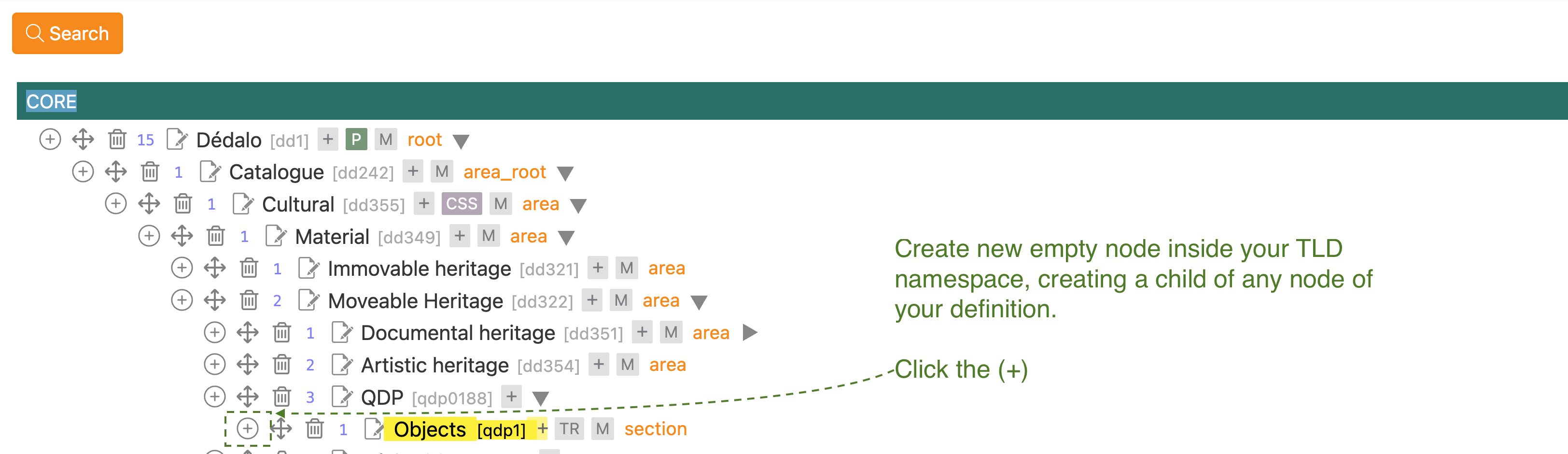
The new node will be your TLD and the next id in the sequence, as 547.
In the edit window, change the node in this way (remember to use your own TLD instead of qdp)
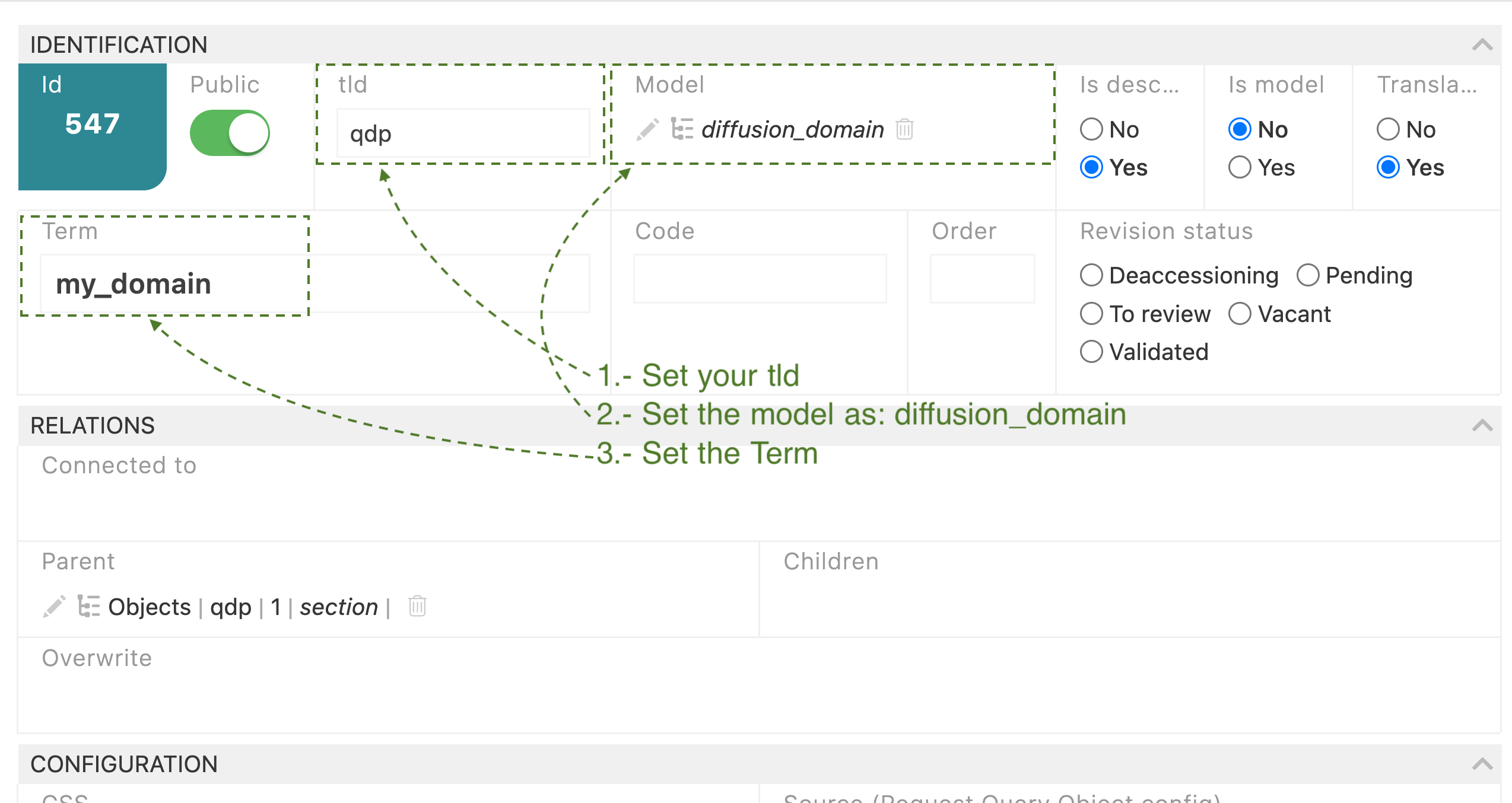
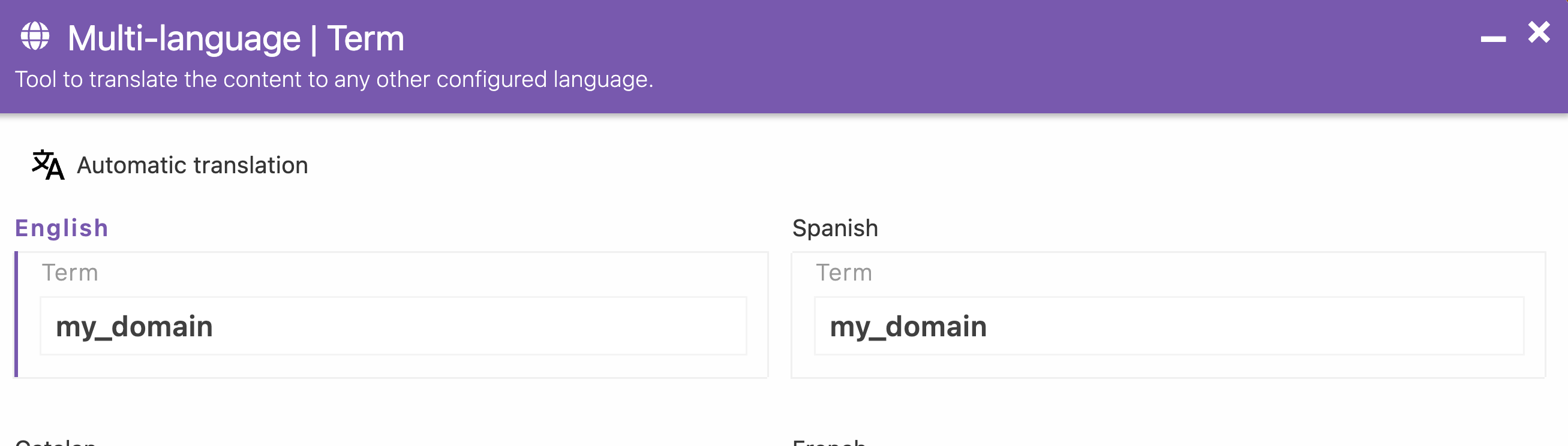
Add the Spanish language of the term. This is a limitation of the v6 diffusion ontology nodes (as well as v4 and v5). The process only locates the terms in one language. You can change it in the config.php, BUT the common ontology for v6 was done in Spanish, so by default, the terms must be in the Spanish translation (but you can write it in any language).
Drag and drop the node into the diffusion branch.
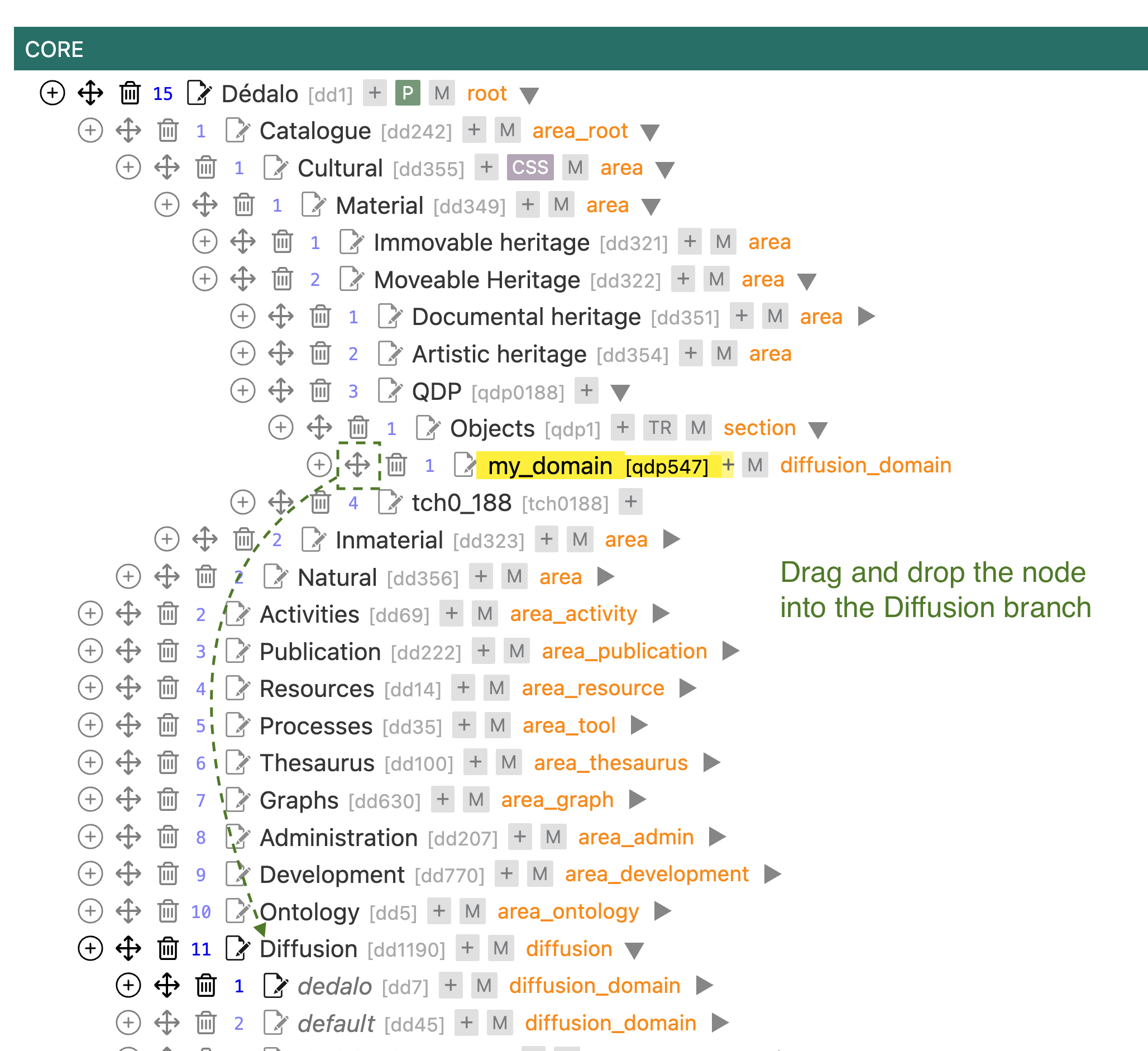
Now you have your own diffusion space inside the Diffusion tree!
Next is to create the other mandatory diffusion nodes.
Create a child node of the diffusion_domain and set the tld field, the model as diffusion_group, and set the term as you want to identify the group (remember, you must use the Spanish translation).
Create a child node of the diffusion_group and set the tld field, the model as diffusion_element, and set the term as you want to identify the active diffusion process (remember, you must use the Spanish translation).
In the tree, you must see something as:

If you want a SQL output you can edit the diffusion_element to use the class diffusion_mysql as:
{
"diffusion": {
"class_name": "diffusion_mysql"
}
}
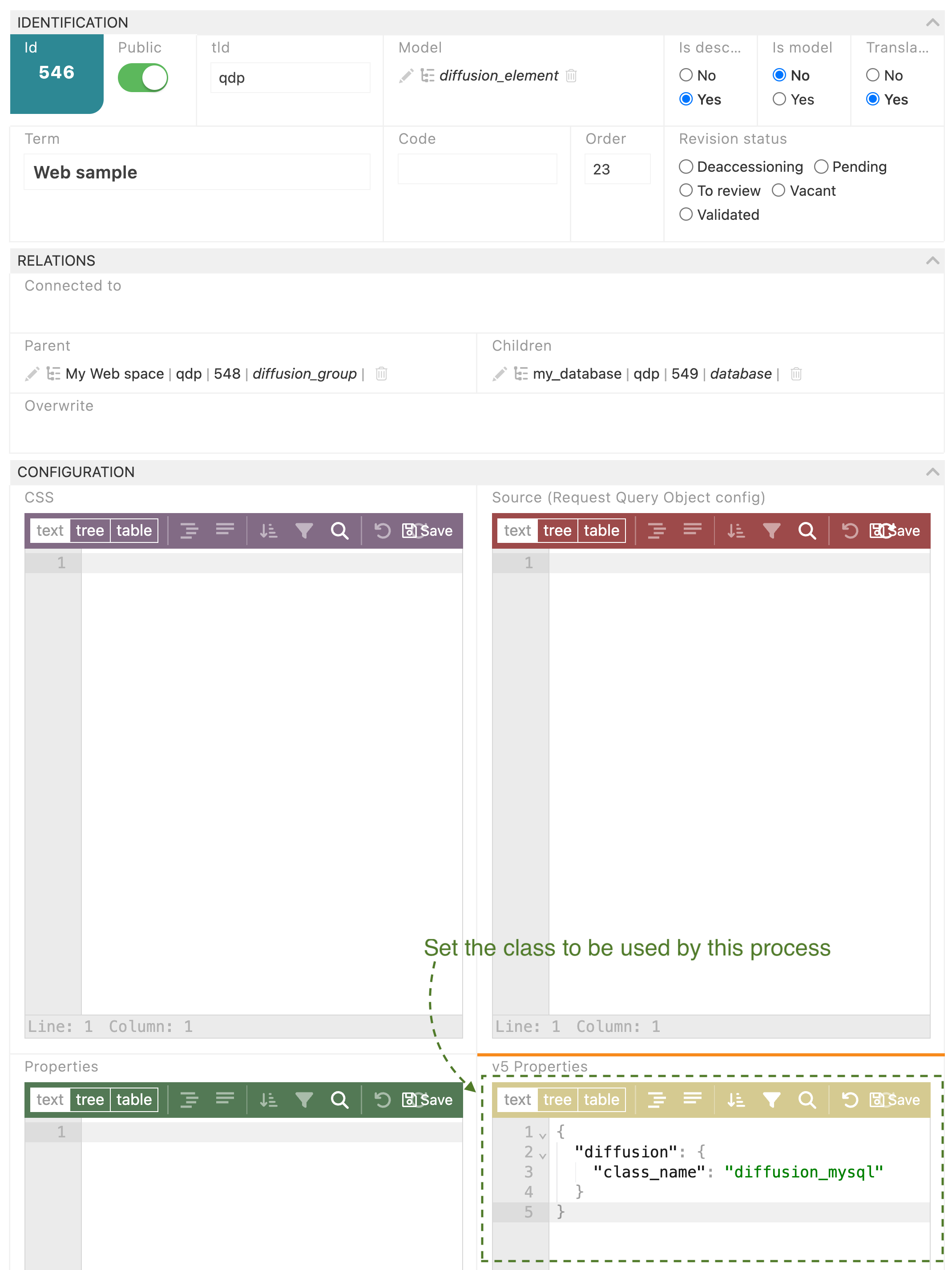
Note: This action set the code to use for the diffusion, in v7 will be sql instead of diffusion_mysql, and it will be in Properties, but in v6 must be inside v5 Properties.
Then you need to change the config.php diffusion-domain and it has to be exactly the same as your ontology node name.
define('DEDALO_DIFFUSION_DOMAIN', 'my_domain')
The config will use your definition instead the default
OK, the most difficult steps are done. Now you can add new nodes to define the output, and you can follow other configurations.
- Add a node for the database.
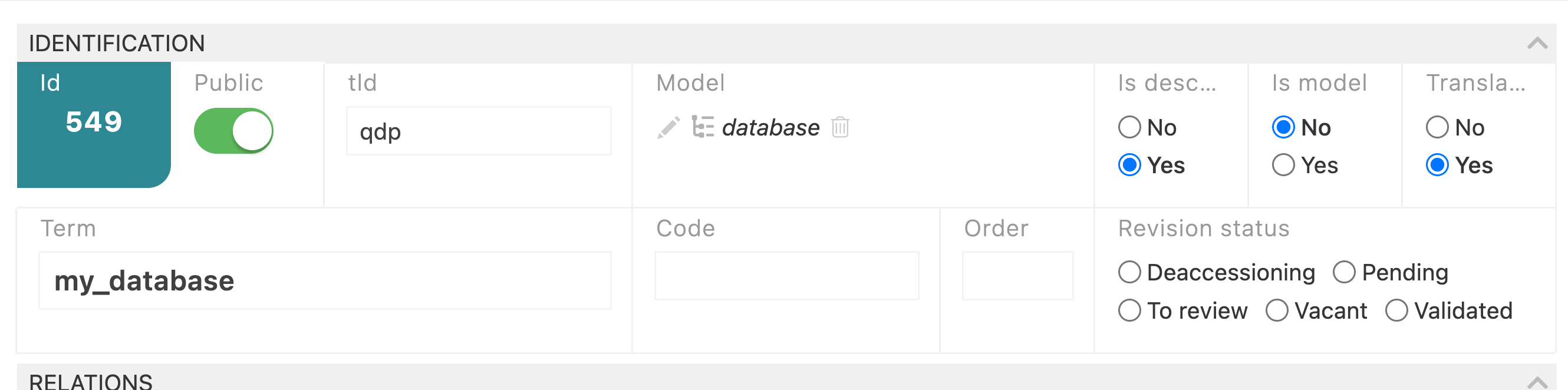
Create a child node of the diffusion_element, set your TLD, set the model as database, set the name of the SQL database into the term (remember the Spanish translation).
- Add a node for your SQL tables.
Create a child node of the database, set your tld, set the model as table, set the name of the SQL table into the term (remember the Spanish translation) and link to the section into the work ontology tree (where data is stored, as I can see in your screenshot the storykitchen2 node). You can see the interview table in the default Oral history web diffusion_element inside the web_default database.
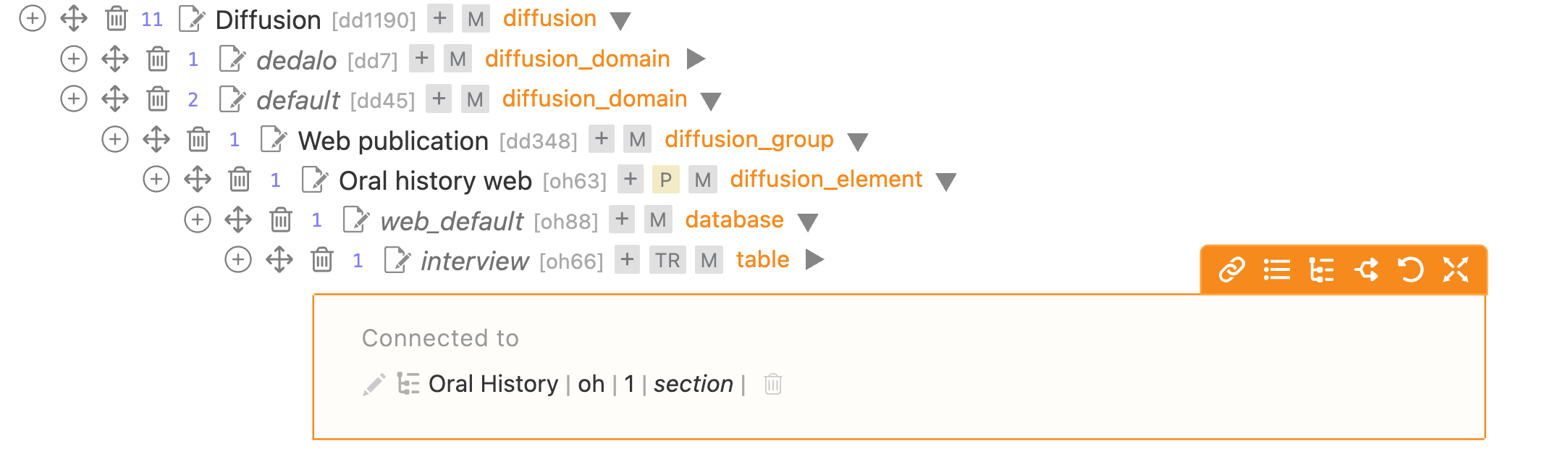
Here the node is connected to the "work data" source for the diffusion.
e.g. To link the table with an object section:
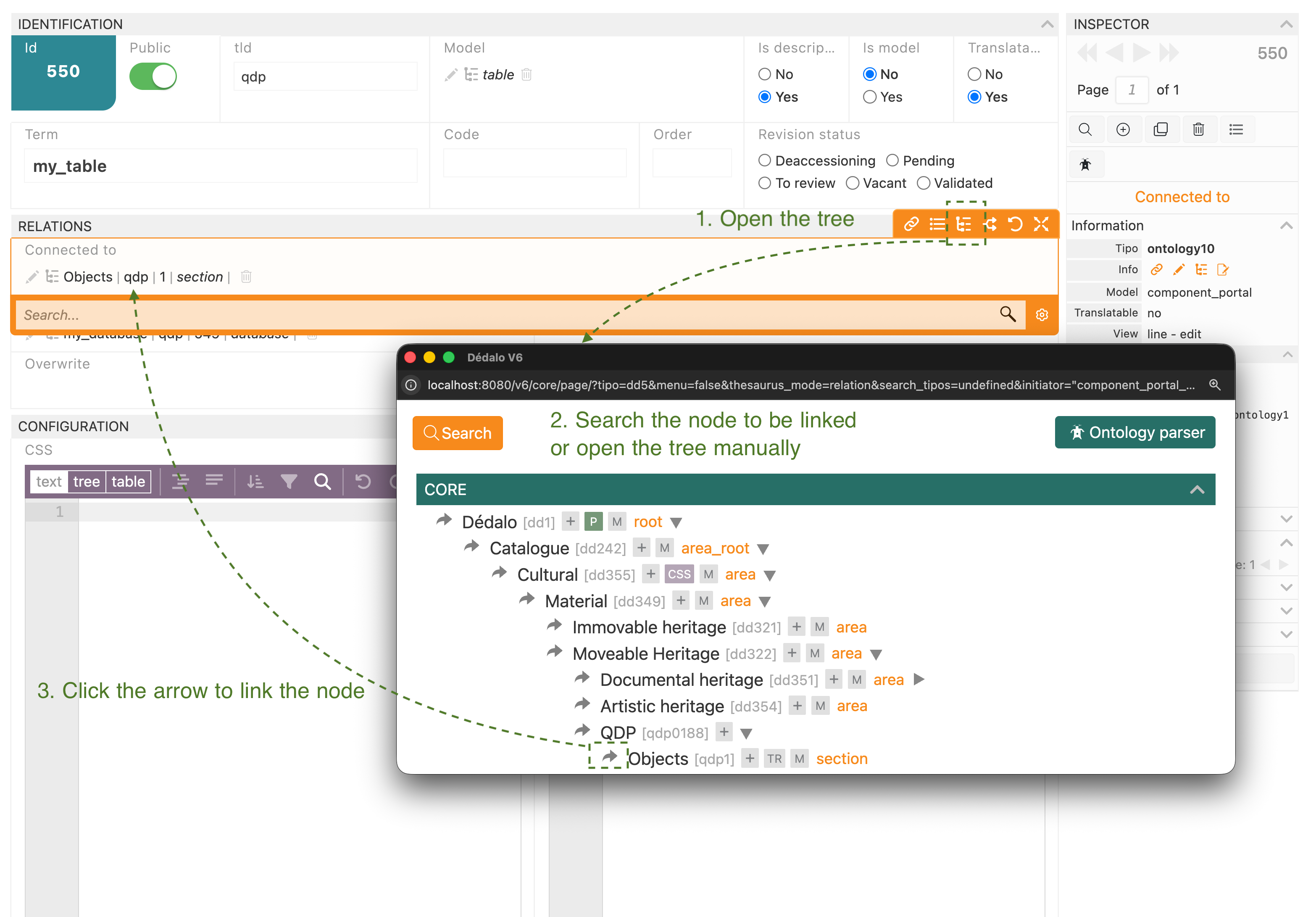
At this point, you must see the diffusion button in your victims census. BUT, any table needs columns!!!
To control which records must be published and which not. The first column must be the publication control. You can see the interview configuration as a reference.
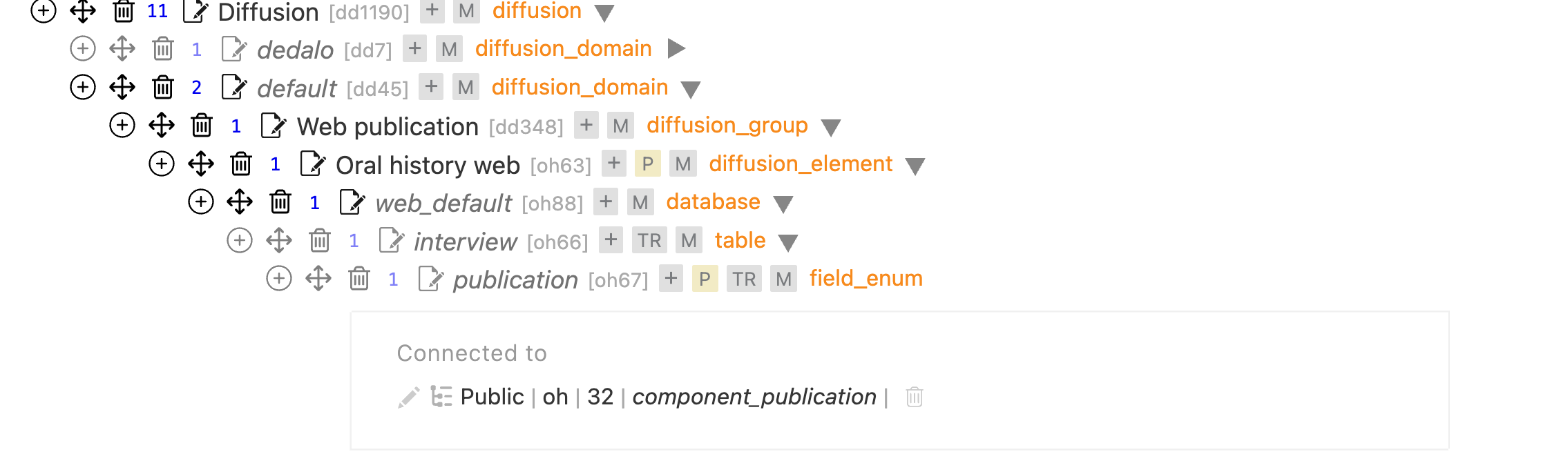
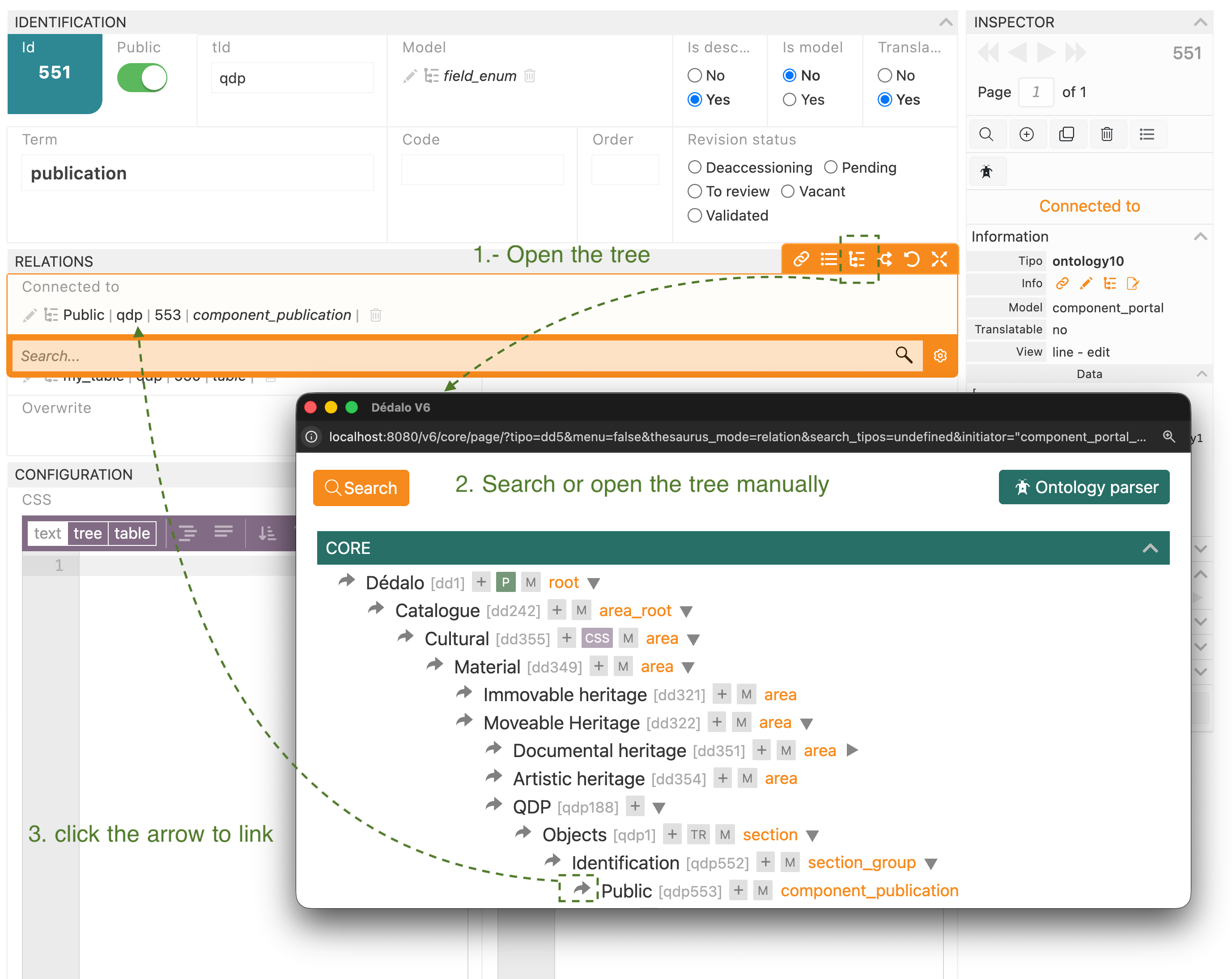
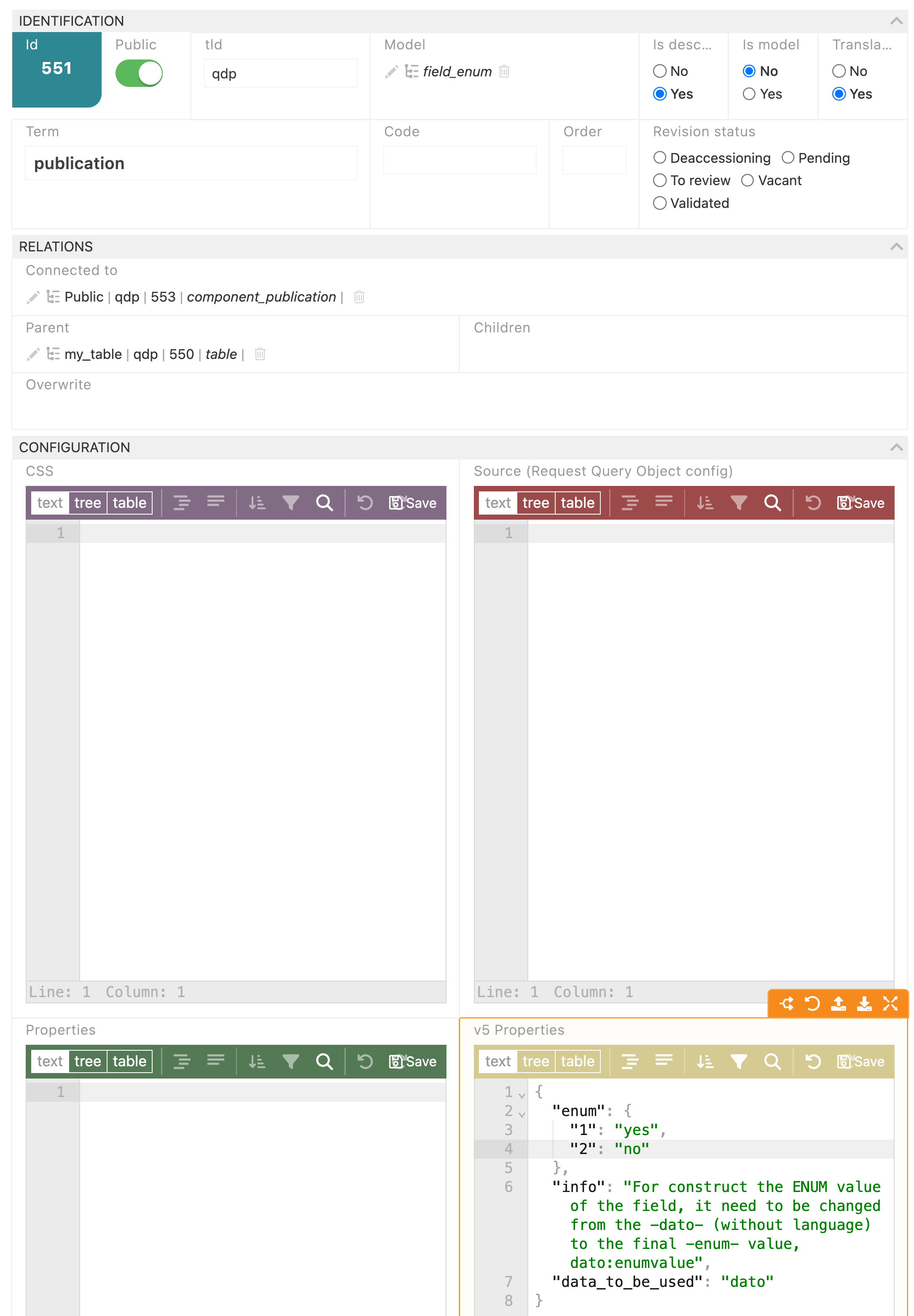
So, you must create a node with your own TLD, with field_enum as model, with publication as Term (remember the Spanish translation), and link to the component_publication node of your section.
And set the constraints for the field_enum in this way:
{
"enum": {
"1": "yes",
"2": "no"
},
"info": "For construct the ENUM value of the field, it need to be changed from the -dato- (without language) to the final -enum- value, dato:enumvalue",
"data_to_be_used": "dato"
}
Next, you can add more columns as children of the table, and link them with the specific components into the section (the fields that you want to publish). How? The same, create a child node of the table, set your own TLD, set the model with the field type as you want (usually field_text) and link with the field that you want to diffuse.
So, here you can control which field you want to be diffused, and how you want to provide the data to the API. You can add more columns as you want, and some could be complicated to be defined if you have multiple data links. But, this thread is large, so, please try to this point and ask me.
Note: One installation has only 1 diffusion domain. When you change your config.php to your diffusion domain, the default will be off. Therefore, if you want to include the current default definitions into your diffusion_domain as the Oral history web default definition, you can add a node as table_alias behind your database node and link to the table in the default. A table_alias will use the table definition (you only need a node to point the real table definition, is not necessary to reproduce all, but... you have the control to do it if you want to create your diffusion definition as you want!!! 😃 )
I hope is clear.
Best


