Hi Markus
The ID in the image's name could signify two things:
- The ID of the image (as you're using it)
- The ID of the object
Both are correct and can be used, but you must specify whether the ID indicates the Image ID or Object ID.
How? Using the import tool into the Object list or into the Image lists. However, it's generally recommended to use the Object ID instead of the Image ID. This is because you want to import the images into the Objects, and you'll have the Object ID, not the Image ID. In this context, Objects serve as references, while images are the resources. You're essentially creating an object catalog.
In your case, you are using Numismatic Object numisdata4 to import the images, but your references are from Images Id rsc170, as you explain, and the process will not work as you expected.
Let me explain it with an example of workflow:
You first import, you have 2 images:
20-A
20-B
So, your import from Numismatic object must be something as:
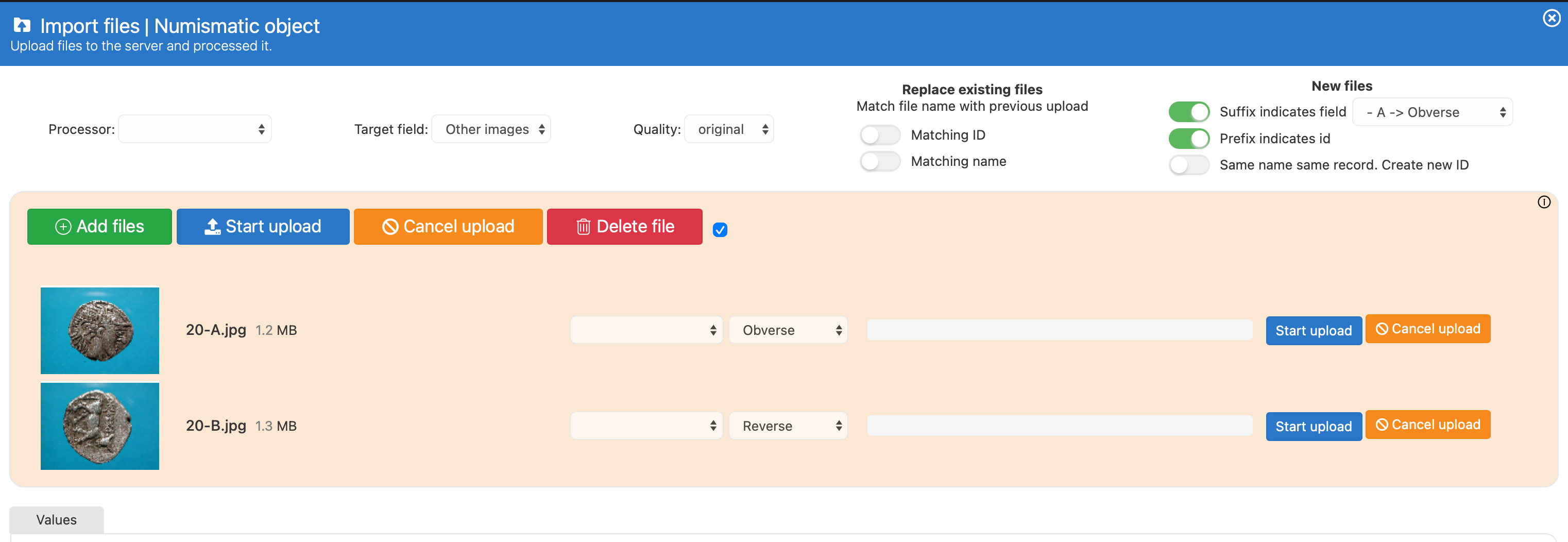
This import will create the record 20 in numismatic object and insert the images in it, so, you will obtain the record with the images.
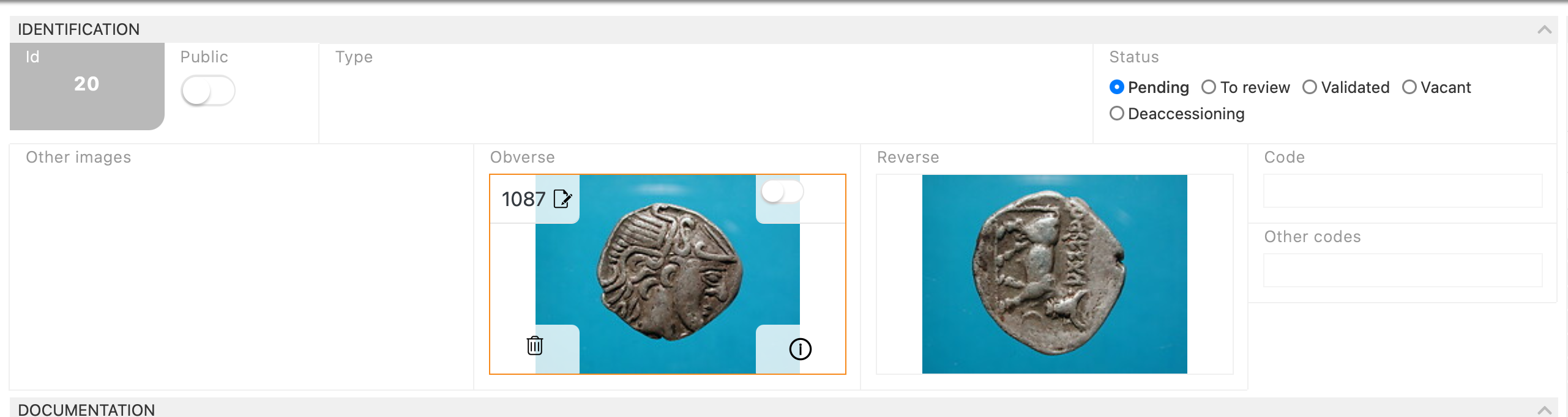
The record 20 with the Obverse numisdata164 and Reverse numisdata165 images.
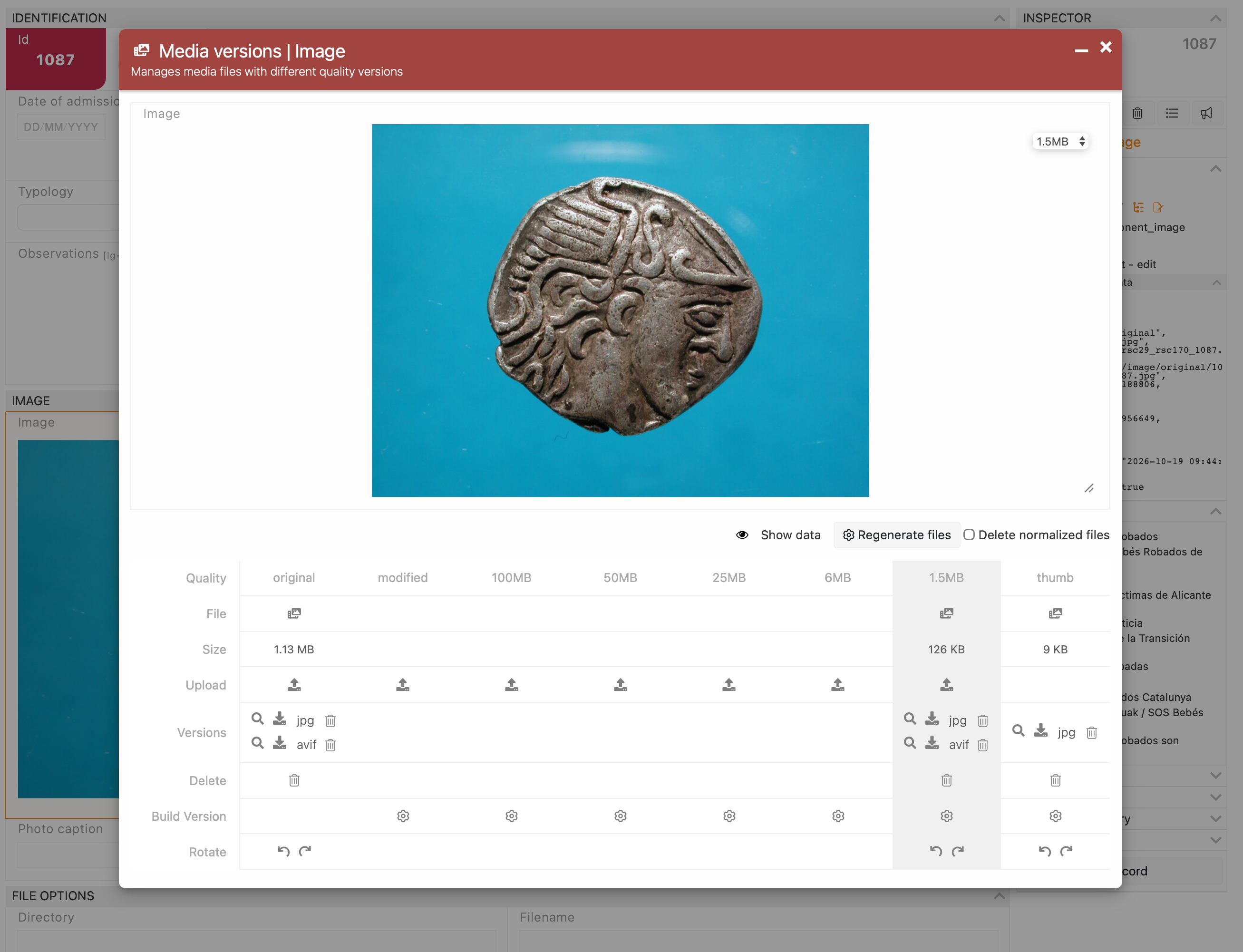
The imported images will have another Id, in this example 1087 and 1088.
And the import will storage the images as original and creates the web qualities as:
So, what's the process for replacing images? Usually, you use the same ID as before because you'll have the 20-A and 20-B images on your local hard drive. You'll retouch them, and you don't want to change the name with the image ID assigned in the previous import. So, your local process will use the original name, and you can change the previous import from the Numismatic object.
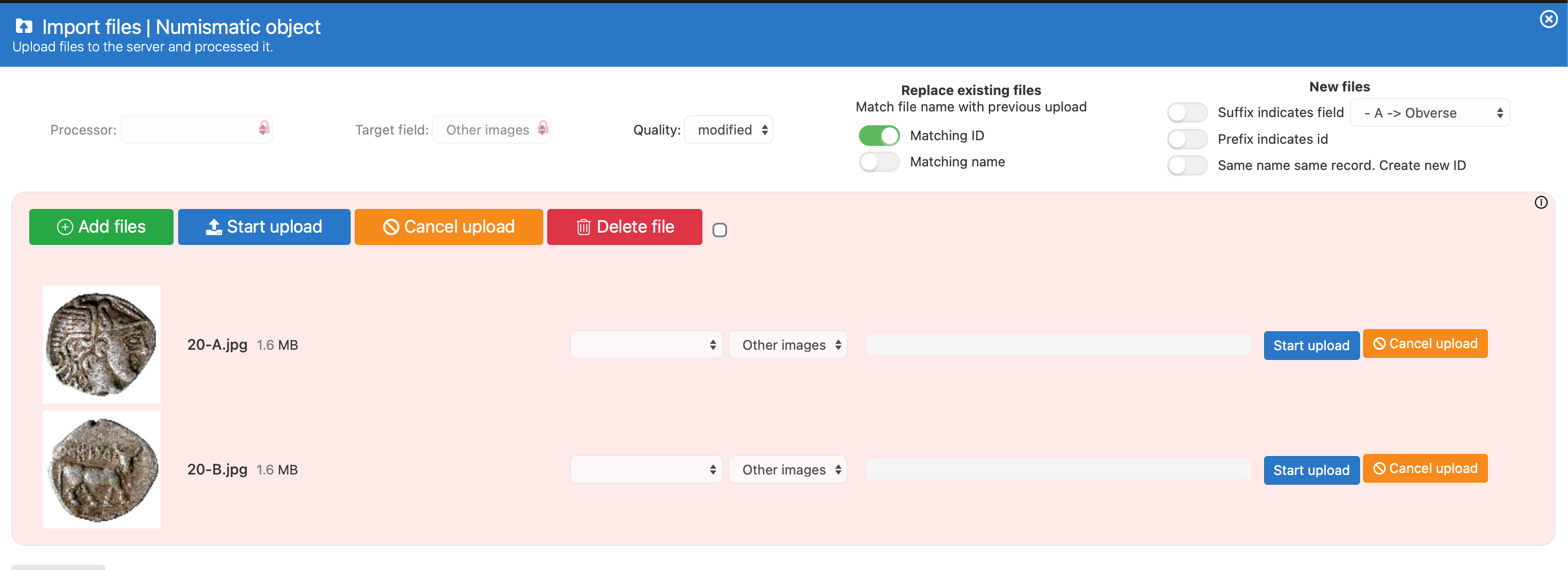
Note: For numismatic object images that have references to Obverse and Reverse -A, -B, you must set the Suffix indicates field to specify the correct location of the image. As shown in the previous images, the import sets the Other images field, and you want to indicate that each image belongs to its own specific field. Therefore, drag and drop the images, check the Suffix indicates field to set the correct field, and then check the Matching ID (the Suffix check will be deactivated, but the field will be set correctly).
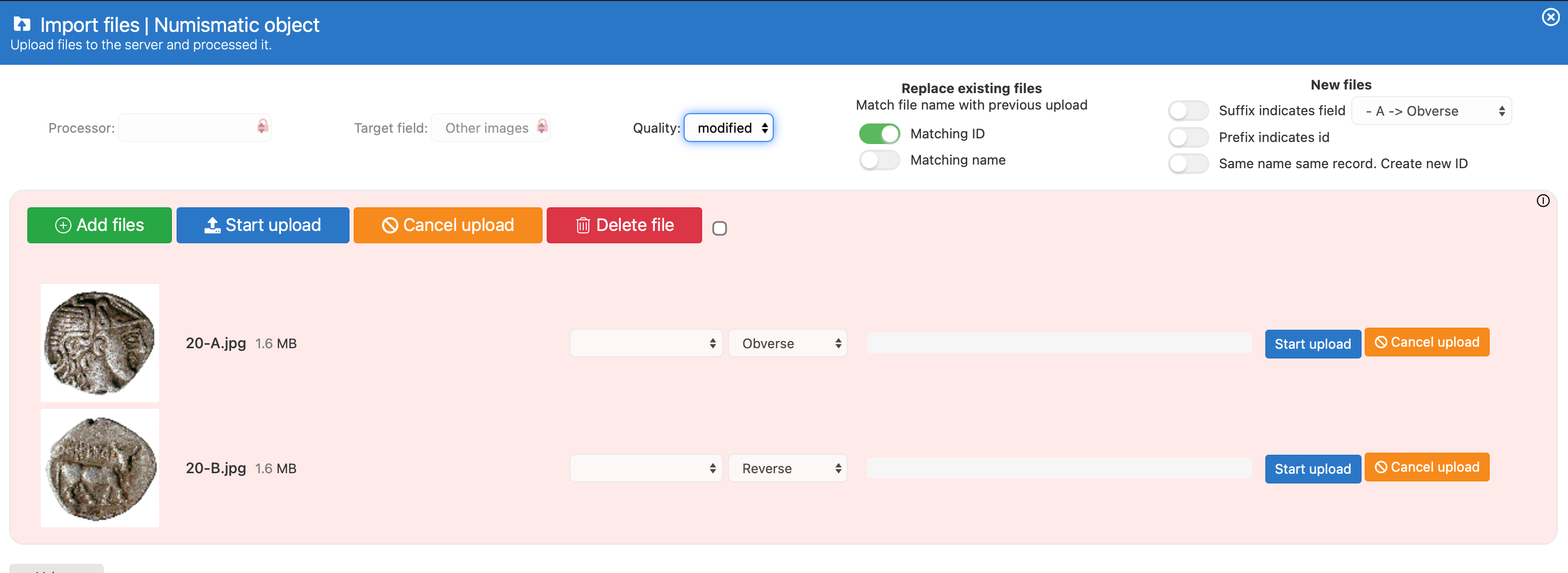
Now, the import configuration is set to save the 20-A and 20-B files as modified quality files, and the Replace existing files option is set to Matching ID.
The import will insert the images into the object at Id 20.
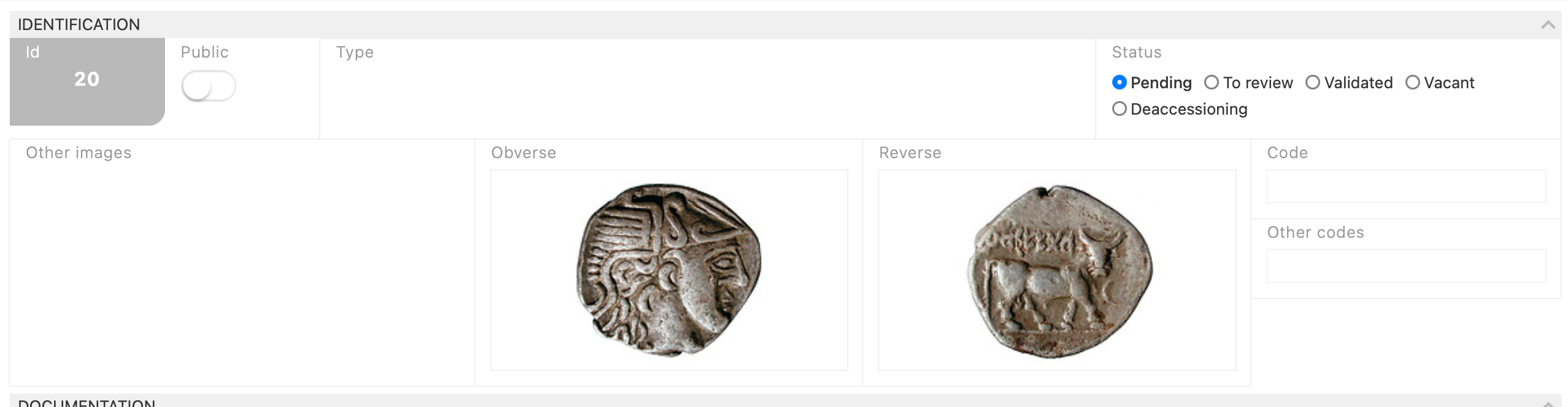
And inserting the new images into the modified quality as:
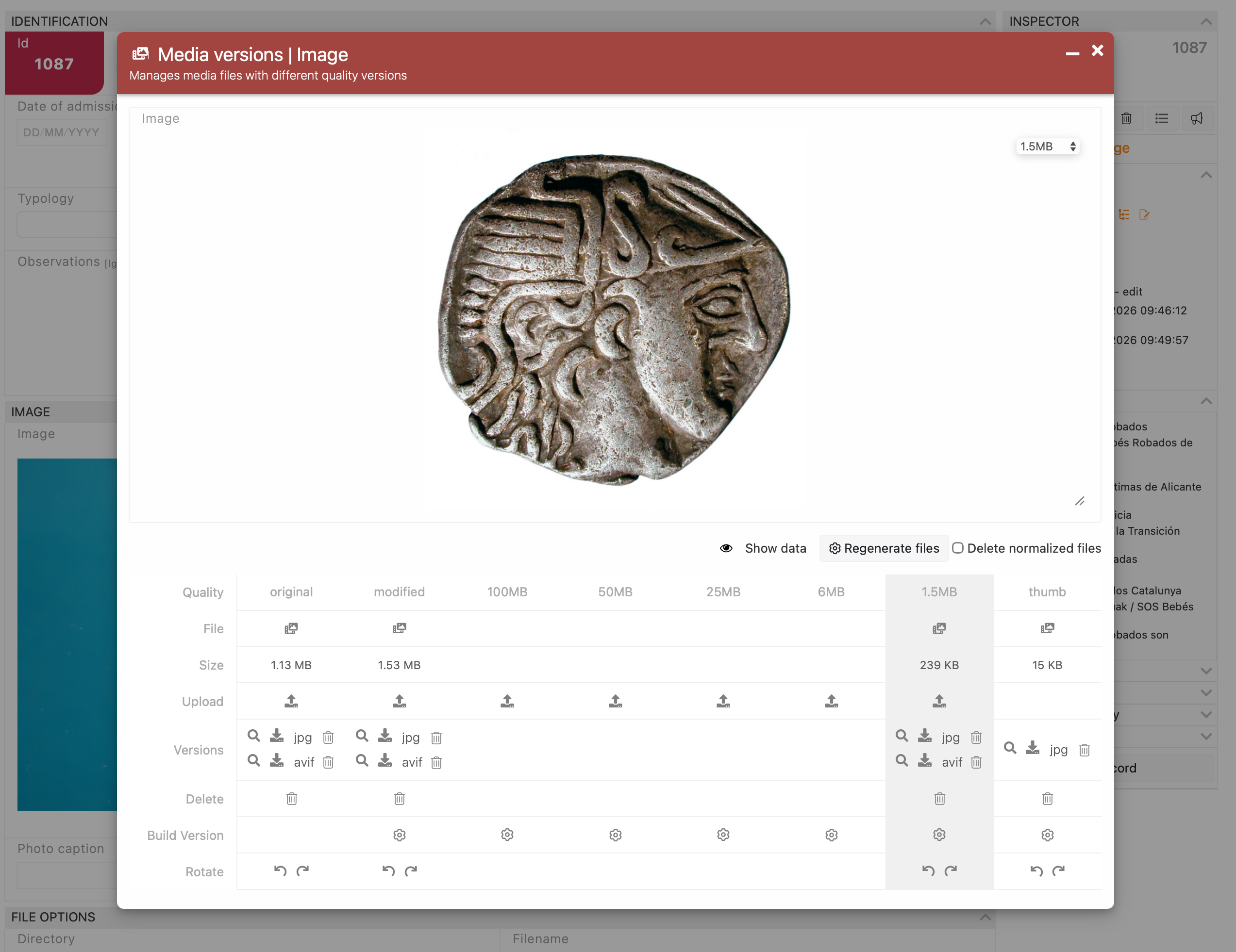
Ok? clear?
The alternative approach is to utilize the Image Id, but in this scenario, you must employ the tool from the Resources->Image section rsc170.

Now, you must use the 1087 and 1088 IDs because you are using the Images section instead of the Object section. And you must specify that the name is the image ID by checking Name indicates id switch:
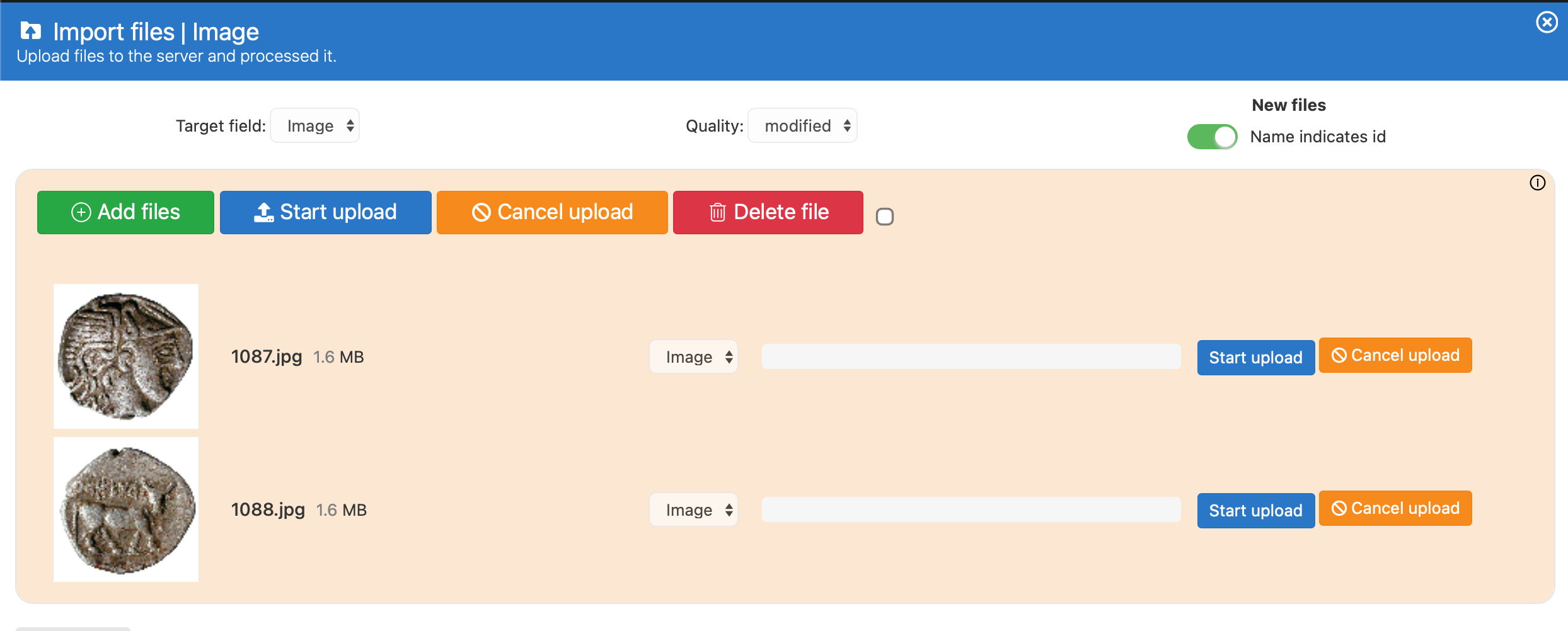
The outcome is identical. Your choice is to utilize the Object Id using the Numismatic Object import tool or the Image Id using the Image import tool.
I hope is clear.
Best


