Hi Pratik
Break it down into smaller parts.
The issue:
Specified key was too long; max key length is 1000 bytes
This error indicates that the total length of the bytes used by the column(s) you are indexing exceeds MySQL's maximum allowed key length, which is the length of the index of the column. Therefore, this is a MySQL issue, not a Dédalo "thing".
The limit is calculated based on the storage engine, character set, and column sizes.
The MyISAM Engine and UTF-8: The 1000 bytes limit is typically associated with the MyISAM storage engine. When combined with the utf8 character set (which uses up to 3 bytes per character), indexing a VARCHAR(255) column can quickly exceed the limit (255 x 3 = 765, which can add up in composite indexes). For the utf8mb4 character set (4 bytes per character), this means you can typically only index up to 191 characters (191 x 4 = 764).
As Nepali needs uft8mb4 to storage all characters the maximum varchar limits are 191 not 255 (255 is ok for western languages, but it is short for eastern languages)
Set the ontology definitions to use 128 instead of 255. This should resolve the issue, and it should work. However, you are reducing the number of characters that can be stored in the column, which could be problematic in large datasets.
So, here are your proposals to fix it.
A.- Change the engine to InnoDB
It will resolve the issue. Switching to InnoDB, which typically permits a larger index key (3072 bytes) with modern row formats, will enable the use of the 255 characters with varchar columns. Dédalo also supports InnoDB, so your problem will be eliminated.
MyISAM is our default choice for a reason: speed.
The publication system operates on read-only data (write once, read thousands), making InnoDB's advantages irrelevant. Switching to InnoDB will significantly reduce performance, particularly for tasks like counting records in pagination. However, if your dataset is small, with only a few thousand records, this impact is negligible. On the other hand, if your dataset spans hundreds of thousands of records, a change to InnoDB should be carefully evaluated.
B.- Massive change of the diffusion properties.
To avoid modifying the MyISAM engine, create your own ontology. Set the output varchar nodes to a maximum of 191 (but I recommend 128 for safety).
The issue arises when attempting to reference common ontologies using table_alias. This is because some nodes in these ontologies have the value 255, which exceeds the index length. To resolve this, you can copy the desired ontology and modify its properties to set lower values. Here's how you can do it: export the current ontology, make the necessary changes, and then re-import it using your own local TLD.
For instance, to replicate the oral history ontology.
1.- locate into the ontology the table or database that you want to copy. e.g. oh66 the interview default table.
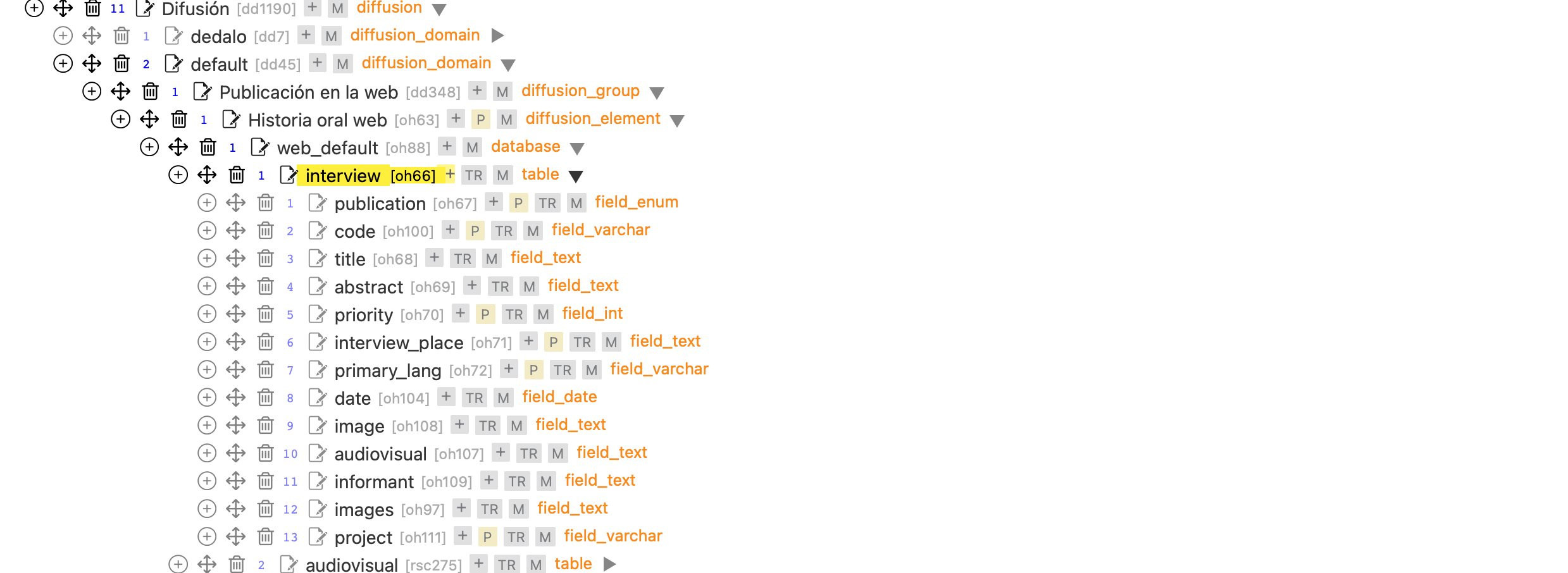
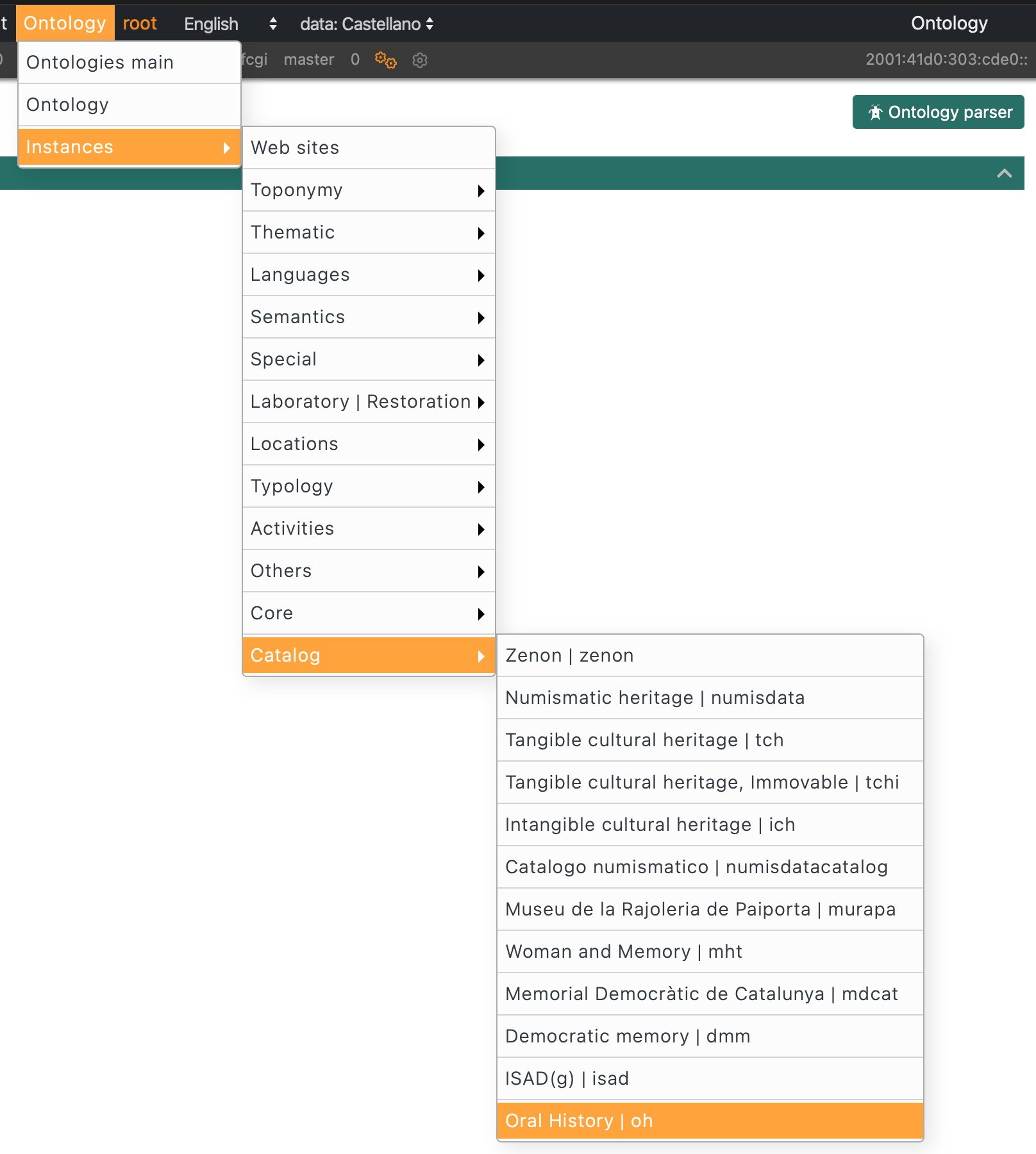
2.- As this definition is behind the oh TLD, you must locate the oh ontology definition into the Ontology menu.
3.- Search the id 66 (the table node id to replicate), checking the children checkbox:
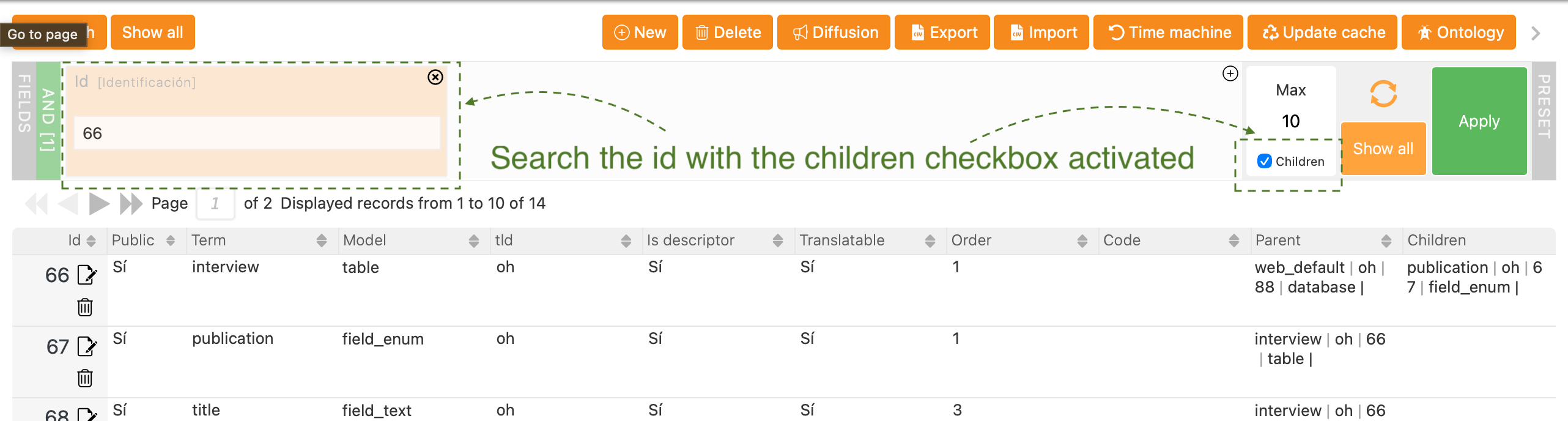
It will find the table and all field definitions behind it.
4.- Export the records with this configuration:
- Id
- tld
- Parent
- Model
- Is descriptor
- Is model
- Translatable
- Term
- Order
- Connected to
- Properties
- v5 Properties
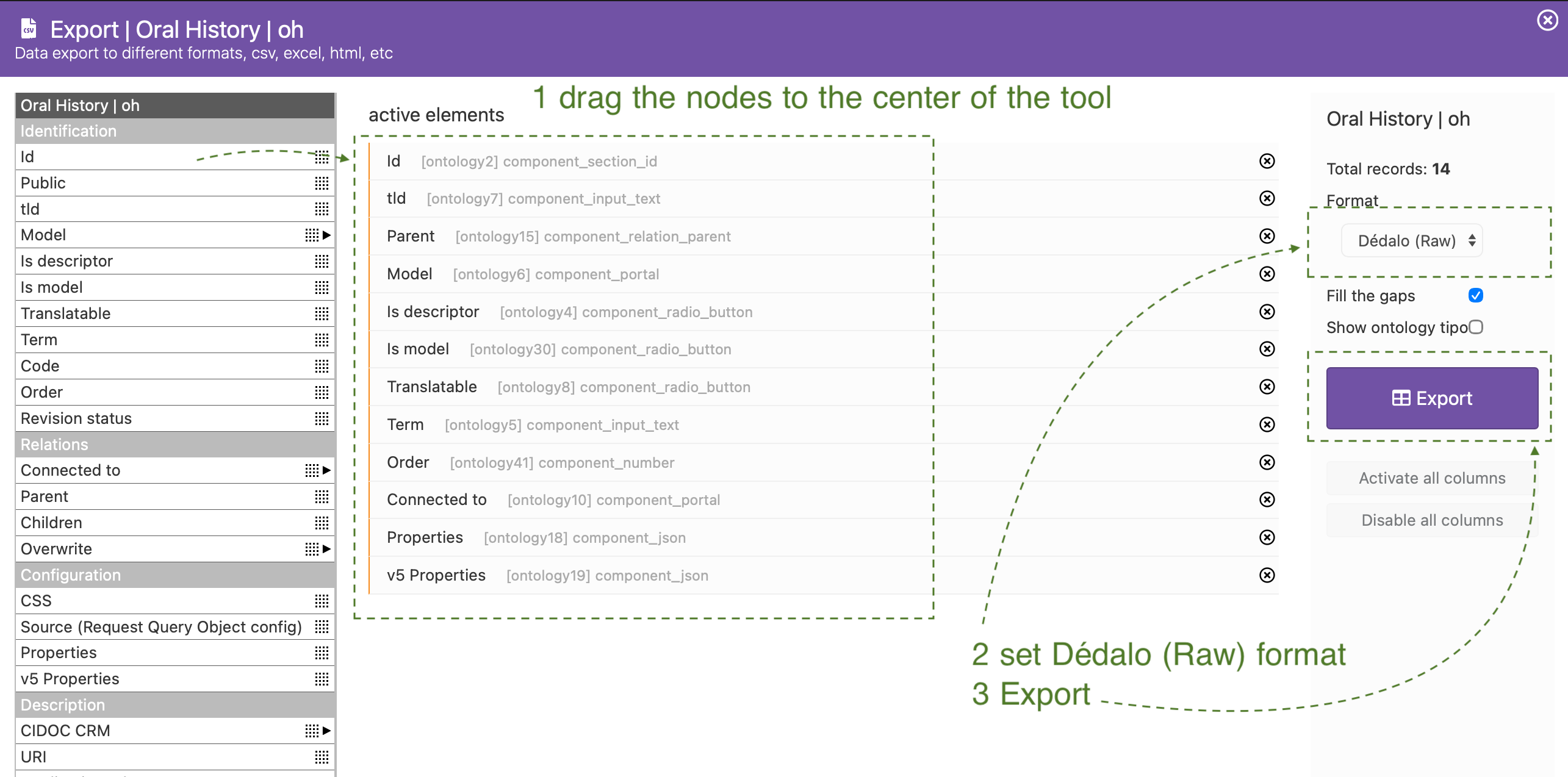
5.- Download the definitions in any format you can handle (CSV, TSV, ...).
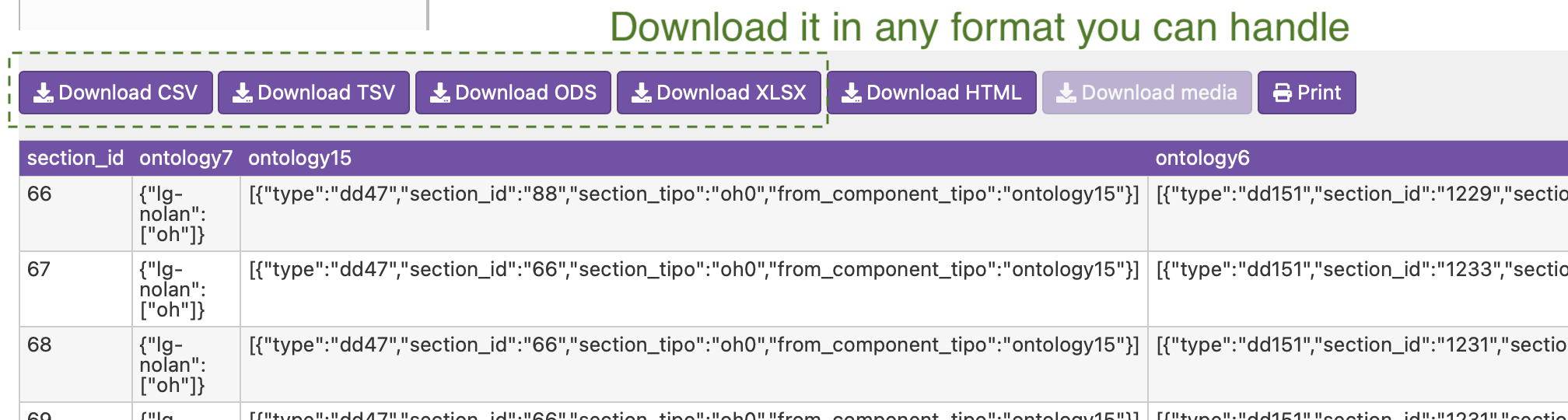
You can repeat this process (1 to 5) for all tables and definitions you want to replicate. Export all the definitions and then process them all together.
6.- Open the export into one spreadsheet editor. (you can mix the other export at this point if you want to do it all together )
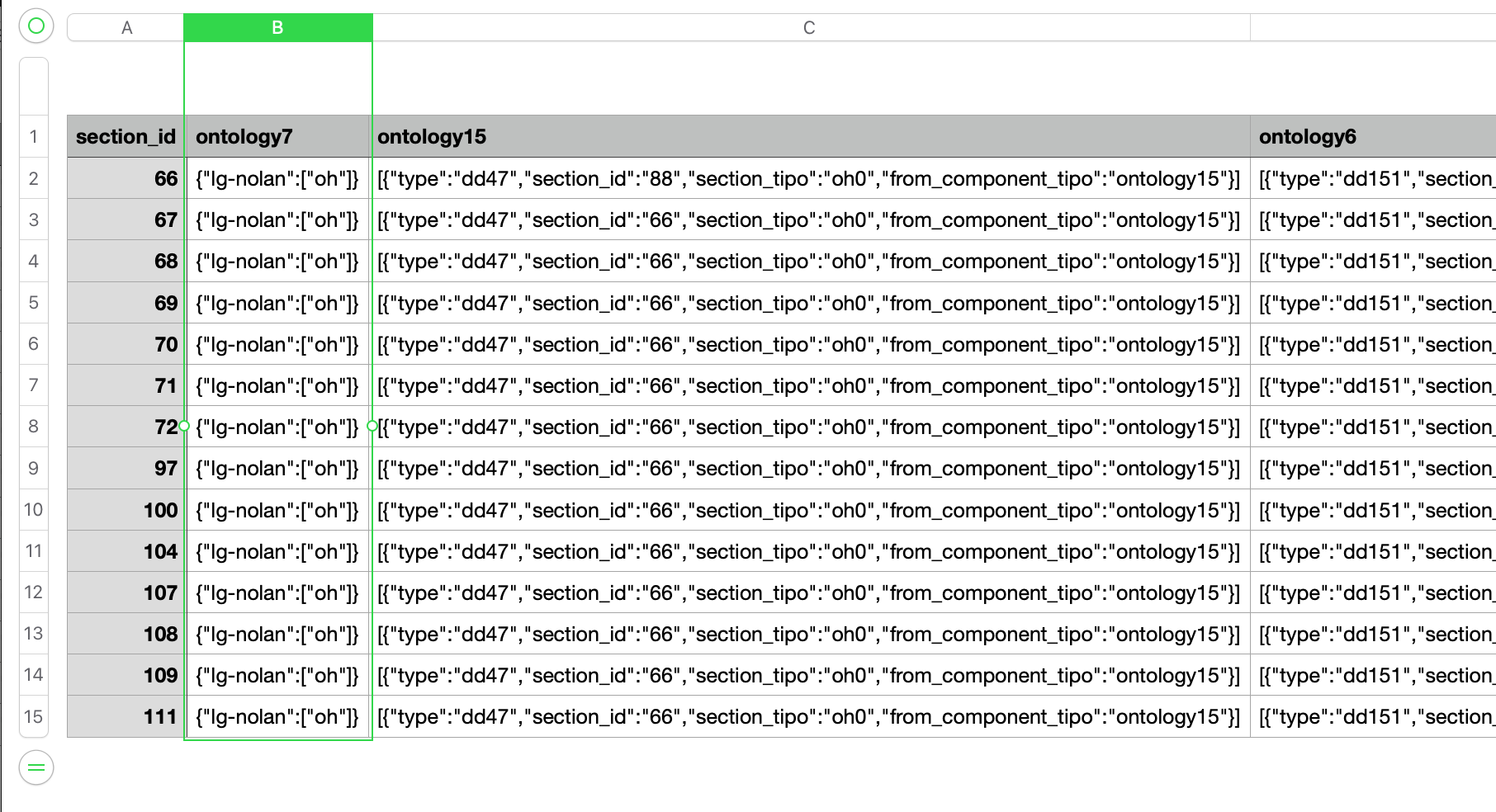
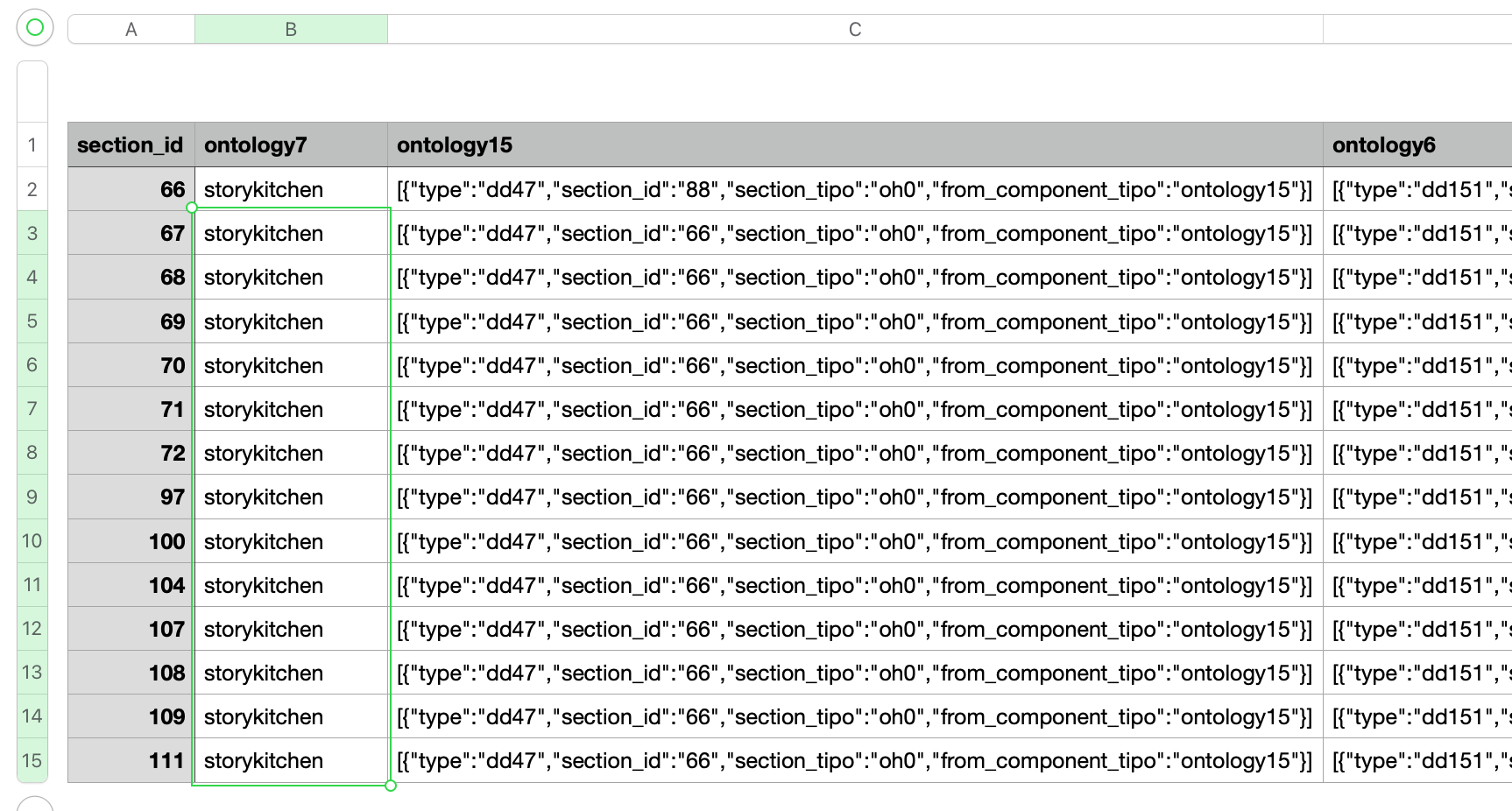
7.- Edit the ontology7 column to replace the data with your own TLD.
From oh
To storykichen (or your local ontology TLD)
8.- Locate your last ID in your local ontology. Go to the list definitions:
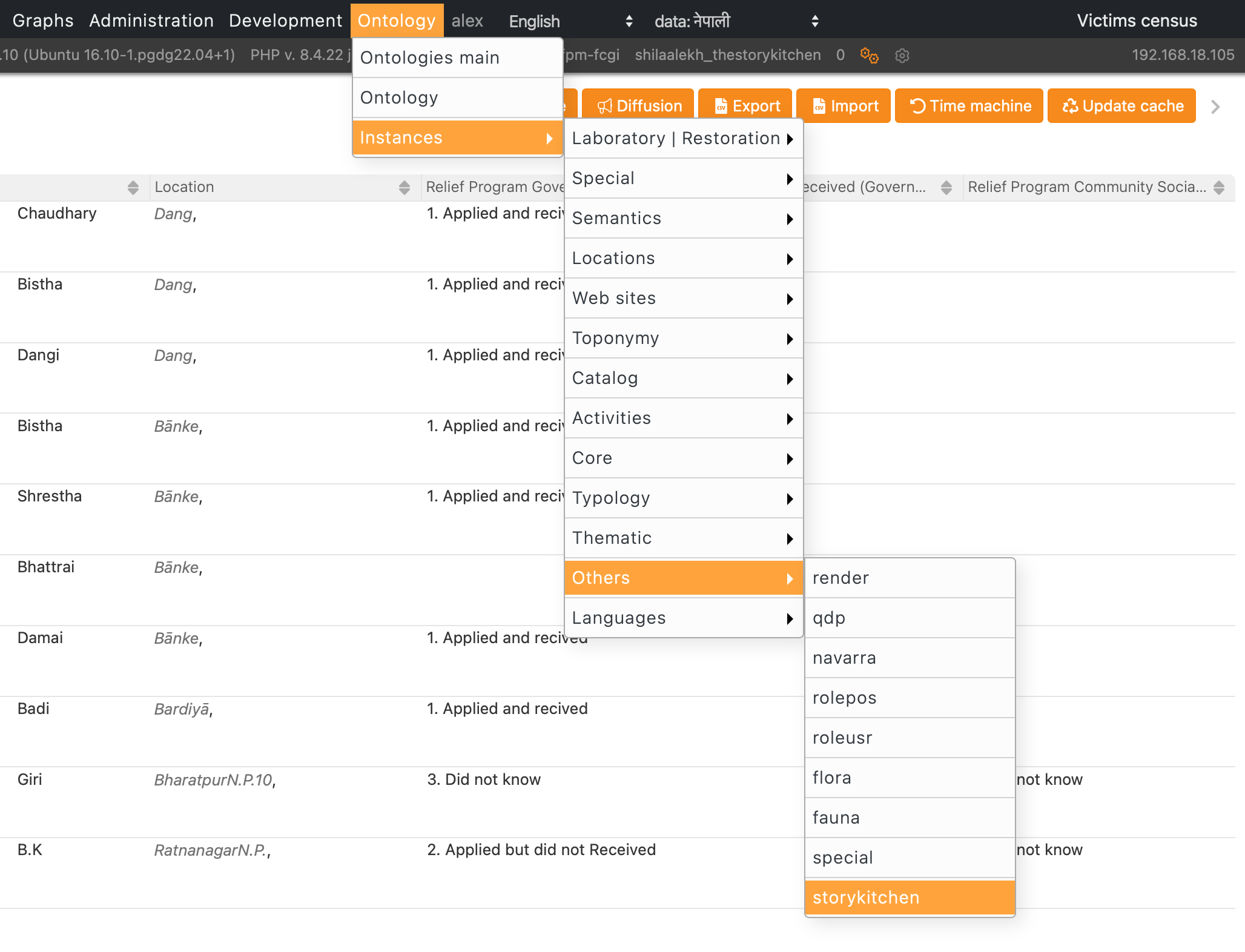
The go to the last page to see the last id:
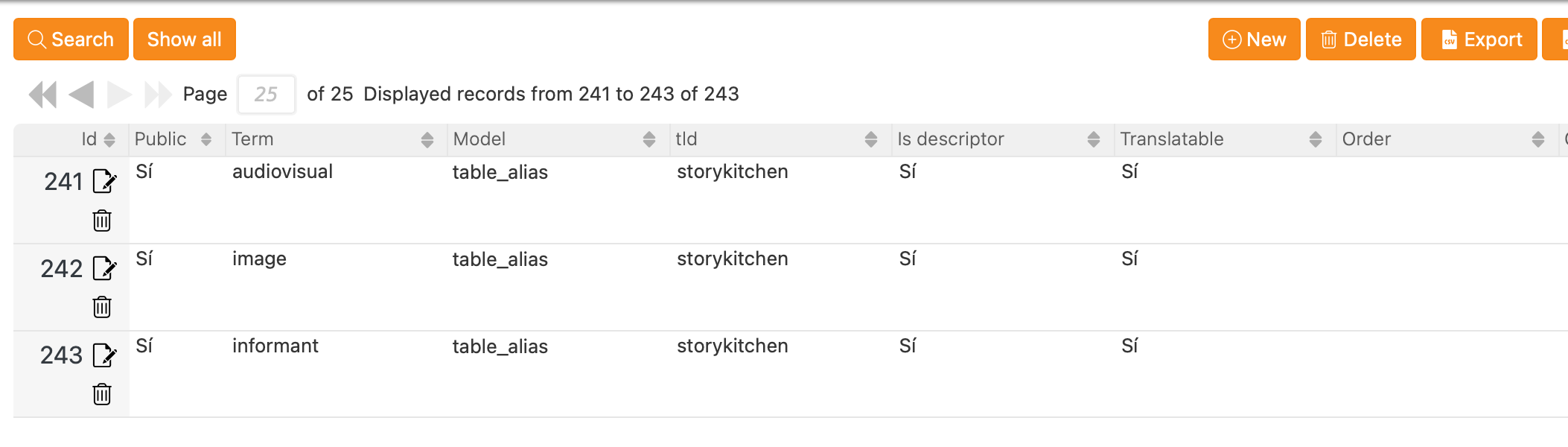
In this case is 243, so, you can create new nodes from 244.
- Locate the parent node to link the table node in your own ontology tree:

In this case is 222
- Change section_id and the ontology15 to link the new nodes between them as:
Correction on Friday 30 of October 2026
!! This image is wrong: it show only the section_id but it must show the locator.
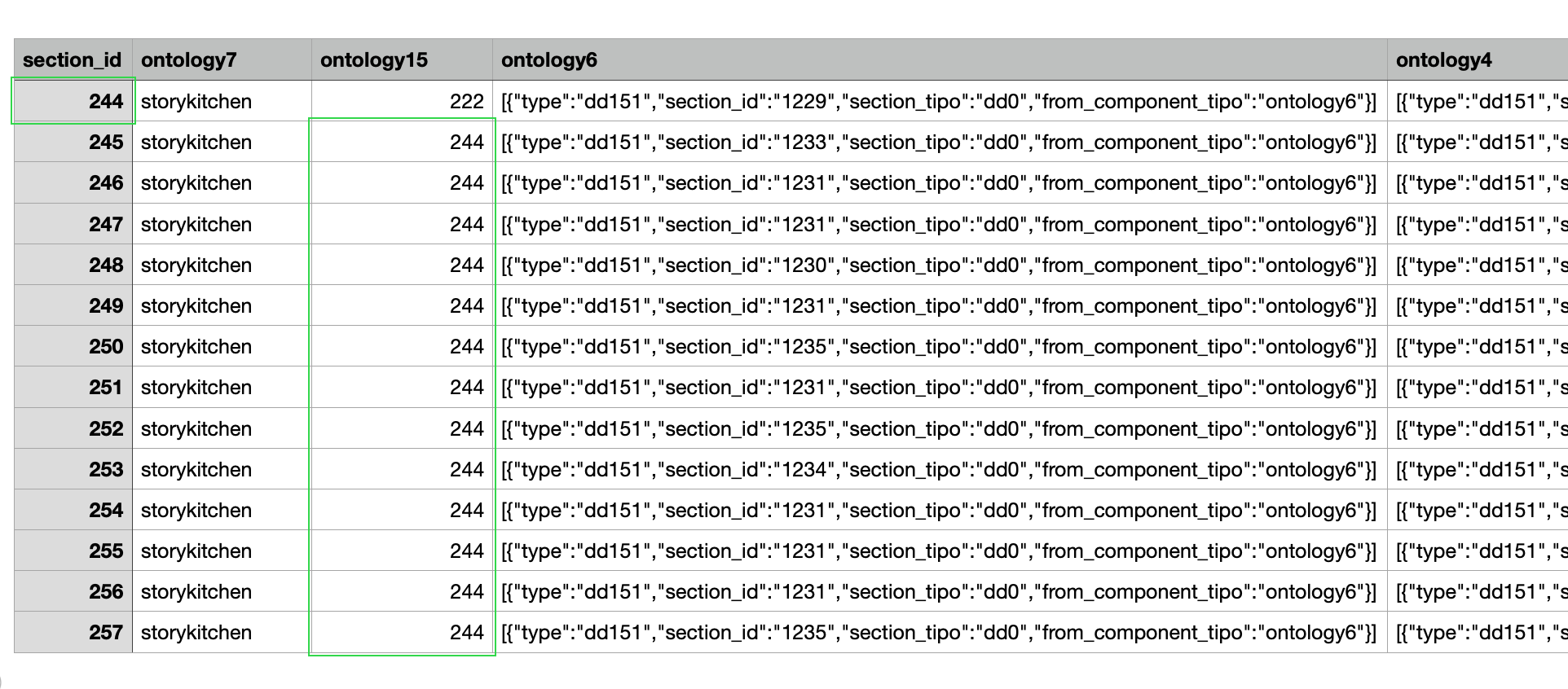
section_id must be set as 244,245,246. etc
ontology15 must be set as 222 for the node to be linked to the parent node in your tree, 244 for the children of the table node.
section_id must be set using the locator with section_id 244,245,246, etc. and the section_tipo with storykitchen0. So, ontology15 must be set as:
[{"section_id":"222","section_tipo":"storykitchen0"}]
for the node to be linked to the parent node in your tree. And for the children of the table node:
[{"section_id":"244","section_tipo":"storykitchen0"}]
If you are importing most definitions together, the tables must be sett all with
[{"section_id":"222","section_tipo":"storykitchen0"}]
and the children with the new id set to the table node. like
[{"section_id":"258","section_tipo":"storykitchen0"}]
or any other.
End of correction on Friday 30 of October 2026
- you can change the
ontology19 column data with the varchar definition:
from:
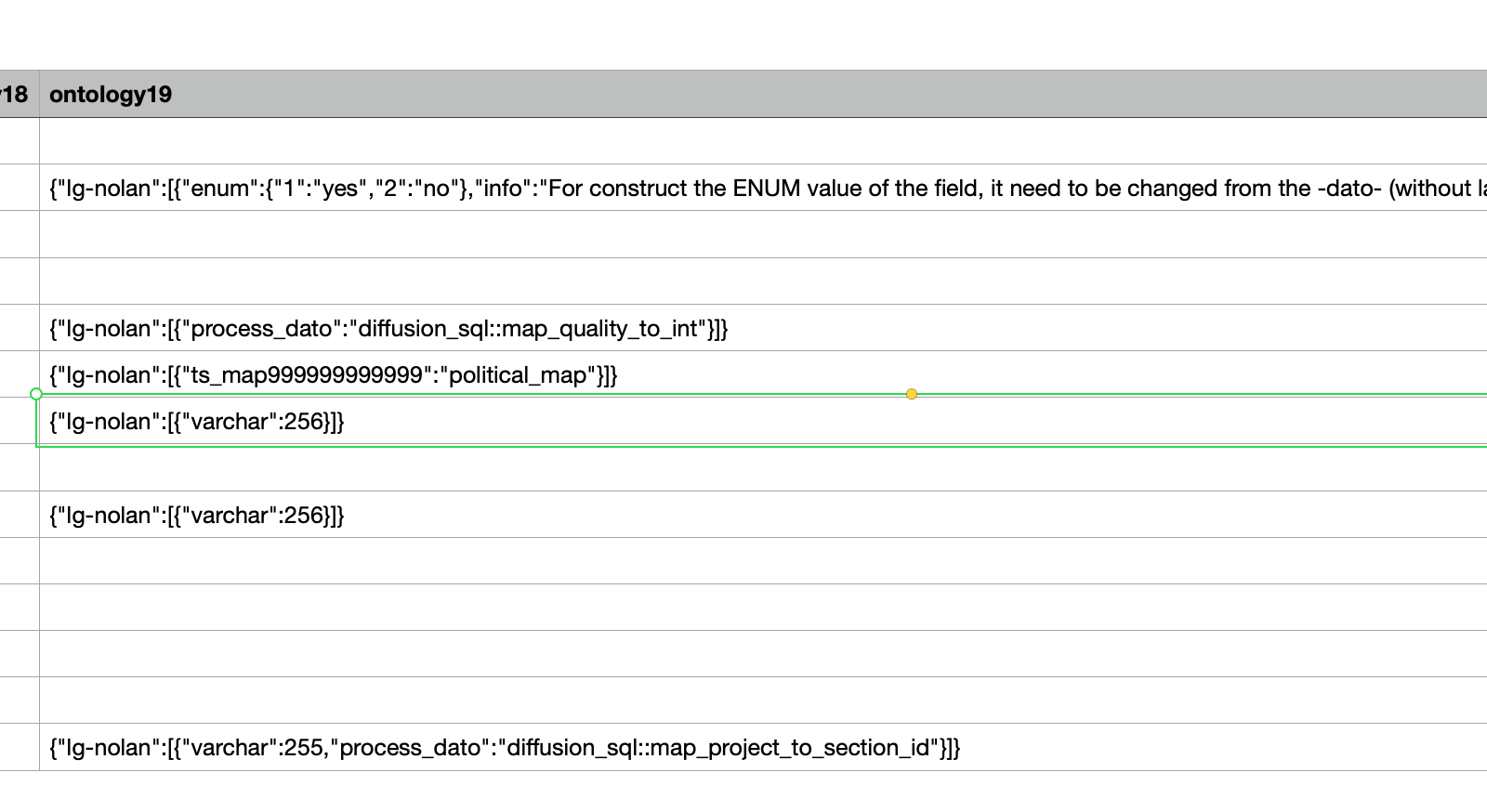
To:
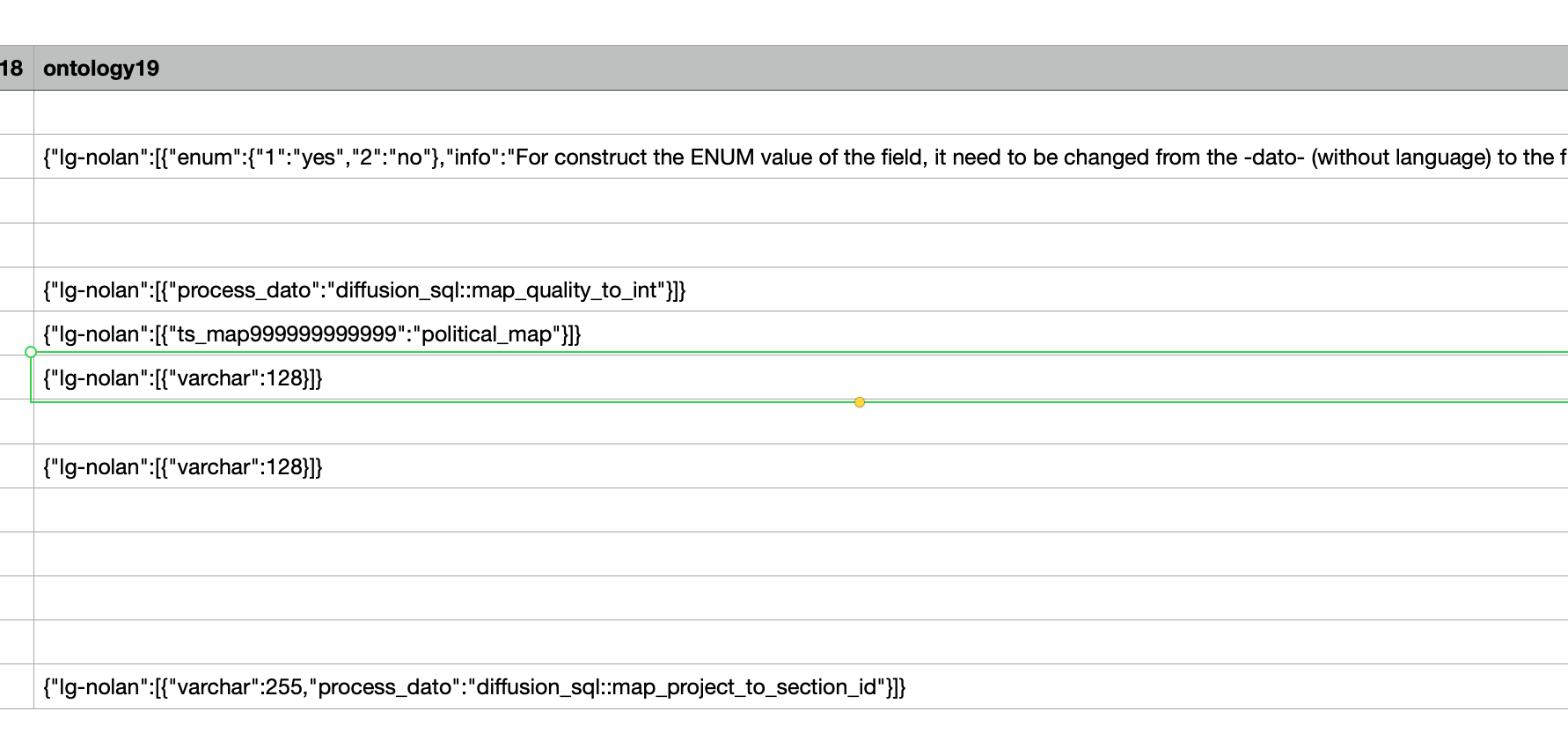
- Save it as CSV file format with UTF-8 character set:
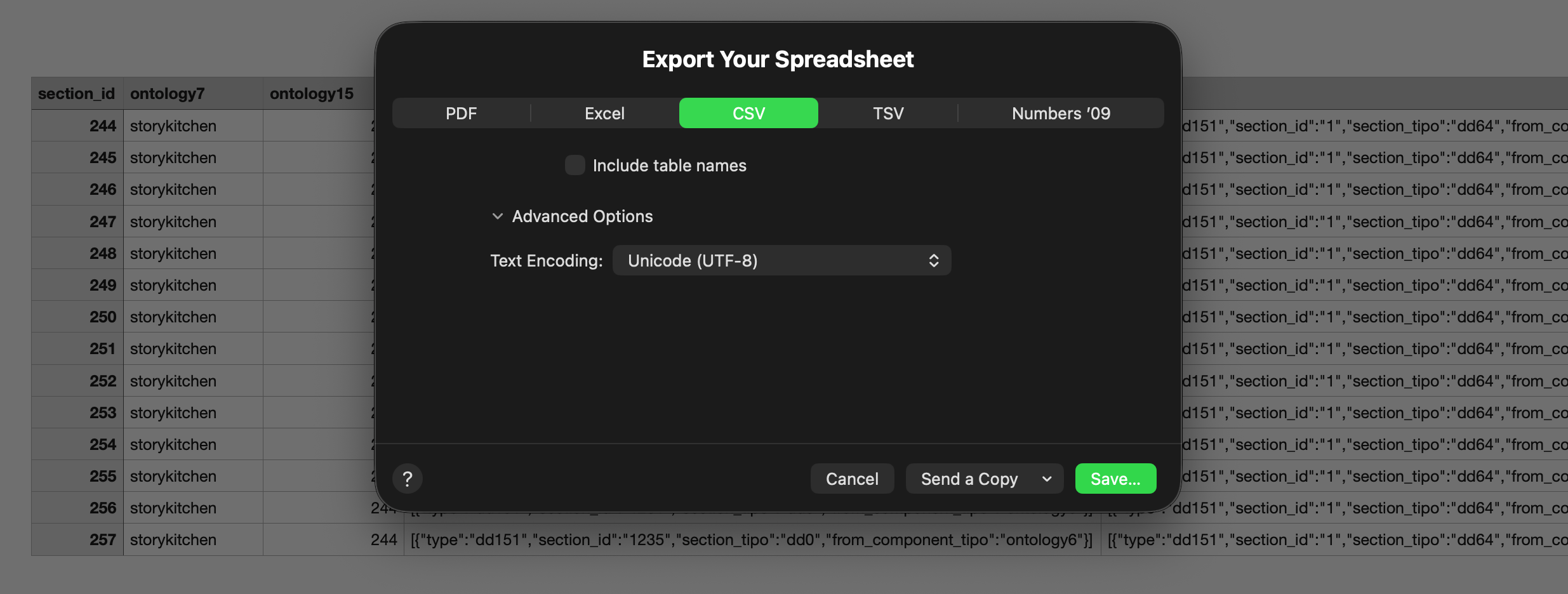
- rename the file to use your own TLD as:
new_diffusion_ontology_10-19-2026-storykitchen0.csv
or the name that you want, but the important thing here is the -storykitchen0 at the end, it said to Dédalo what is this definition and where it must be imported.
- import it, using the import tool in the
storykitchen0 list:
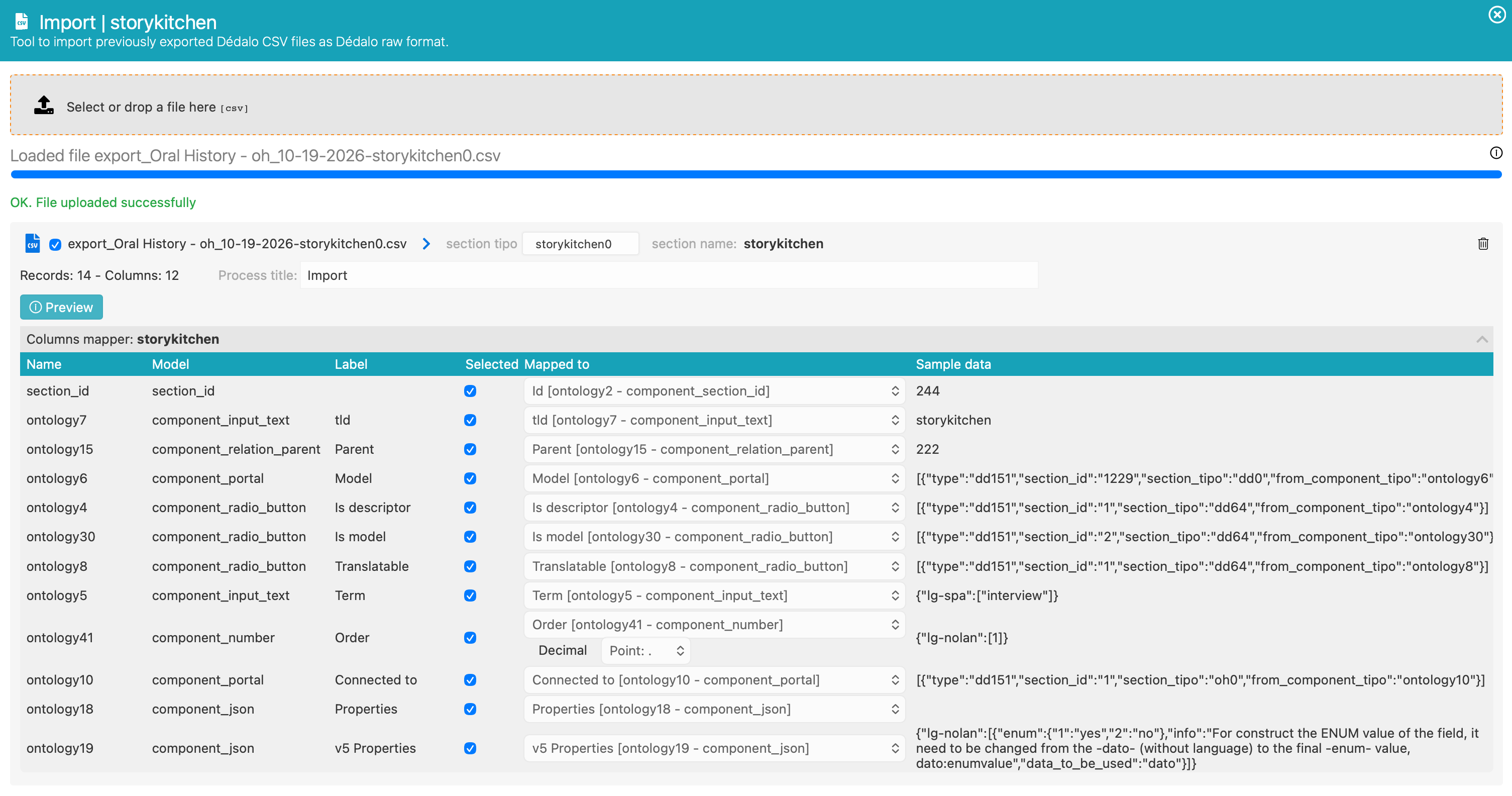
- done. Test your new diffusion ontology copy, with the new sets.
If you need to know more about import, please see the tutorial here.
C.- Last question
Is it okay to modify the default table v5 properties while using table_alias as I could not see a way to edit table_alias child nodes as they were directly linked to source default tables?
No, that's not okay. The default definitions are shared nodes that others are using. If you change the shared nodes, these changes will be lost in the next Ontology update because the shared nodes are synchronized with the master definition. Therefore, you must create your local ontology with your own definitions. Please, don't change this nodes and read this doc.
I hope is clear.
best


